


 Book a call
How to generate content using AI
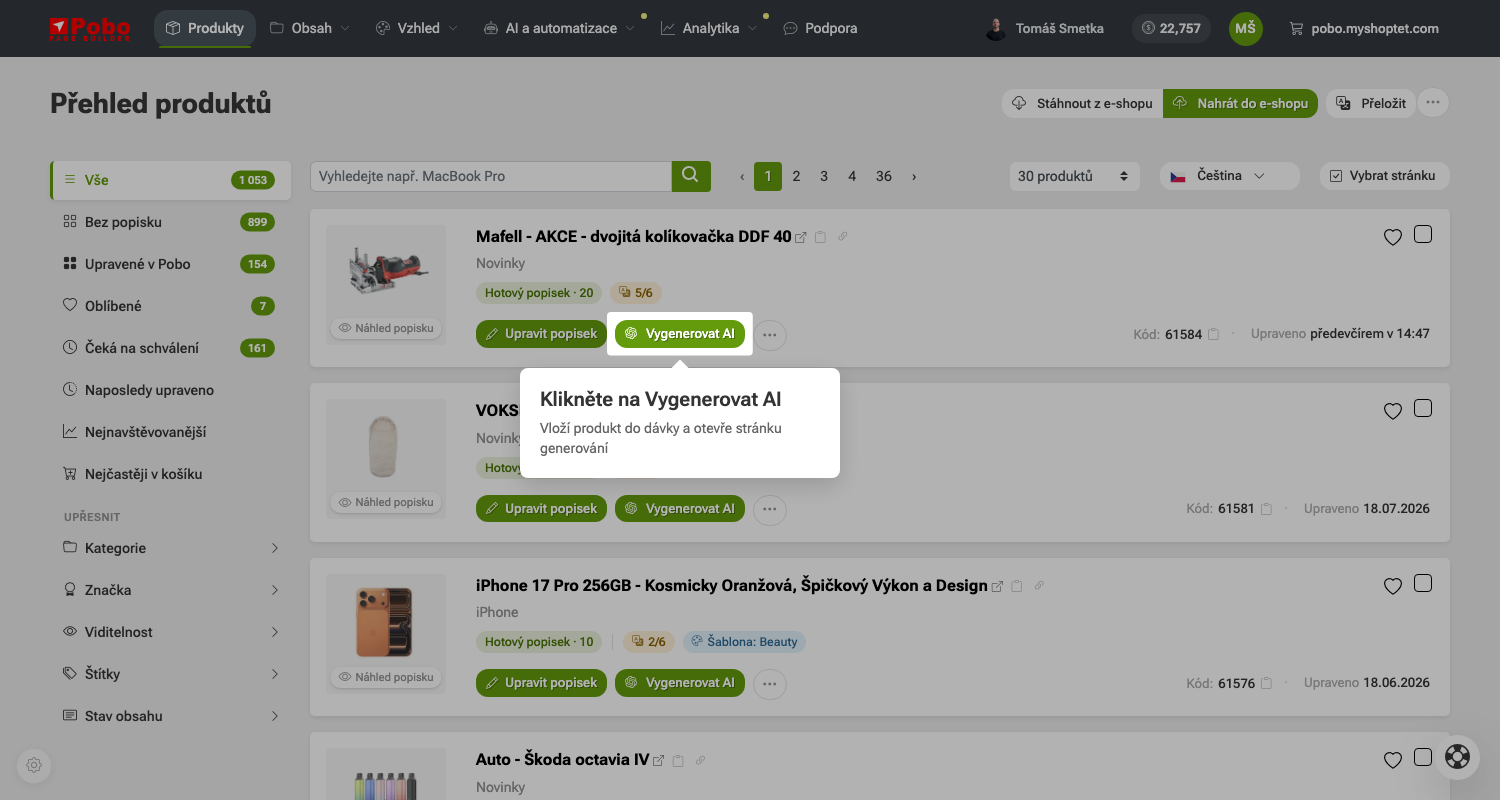 1. krok: U produktu klikněte na Vygenerovat AI.
 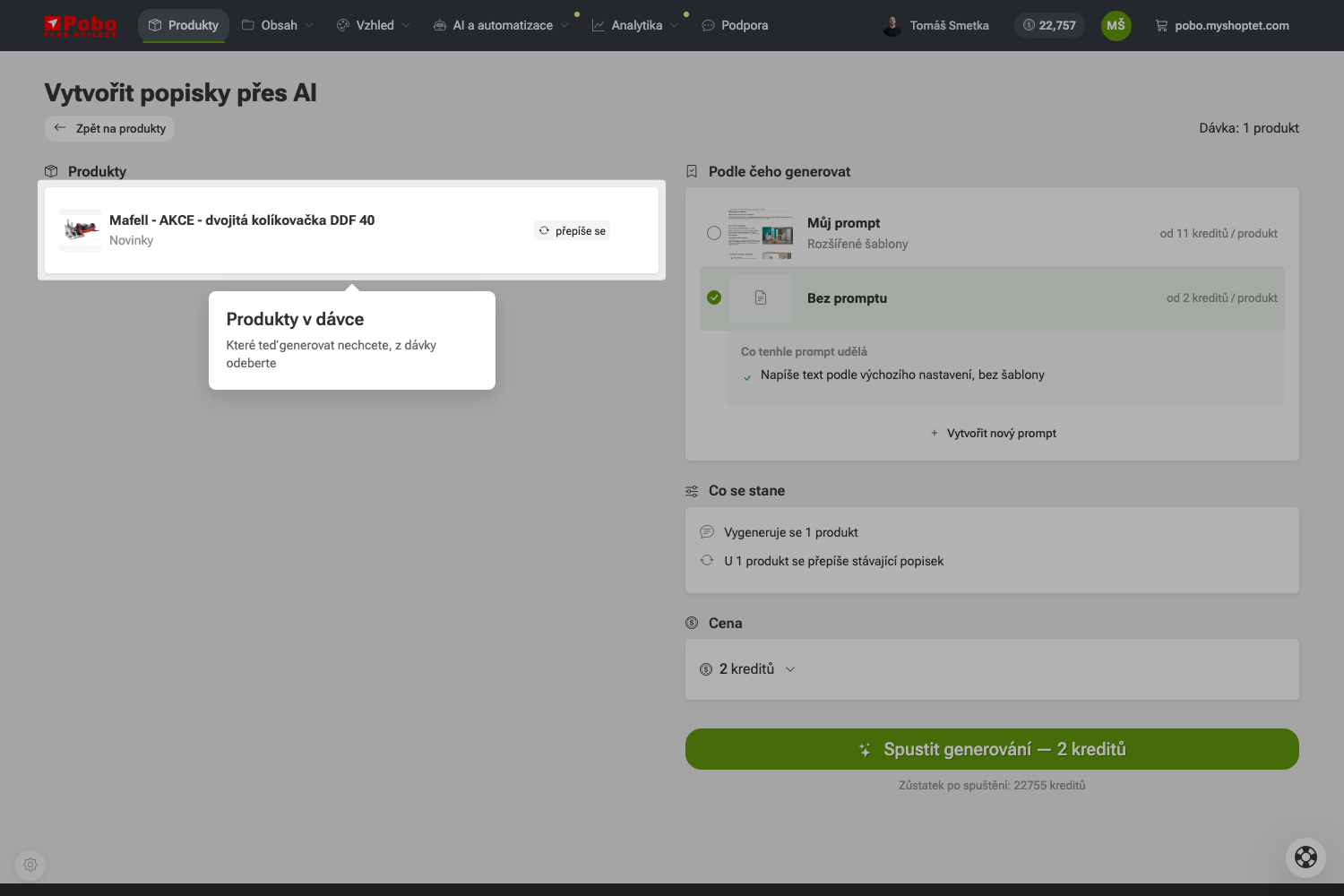 2. krok: Zkontrolujte, co je v dávce, a co nepotřebujete, odeberte.
 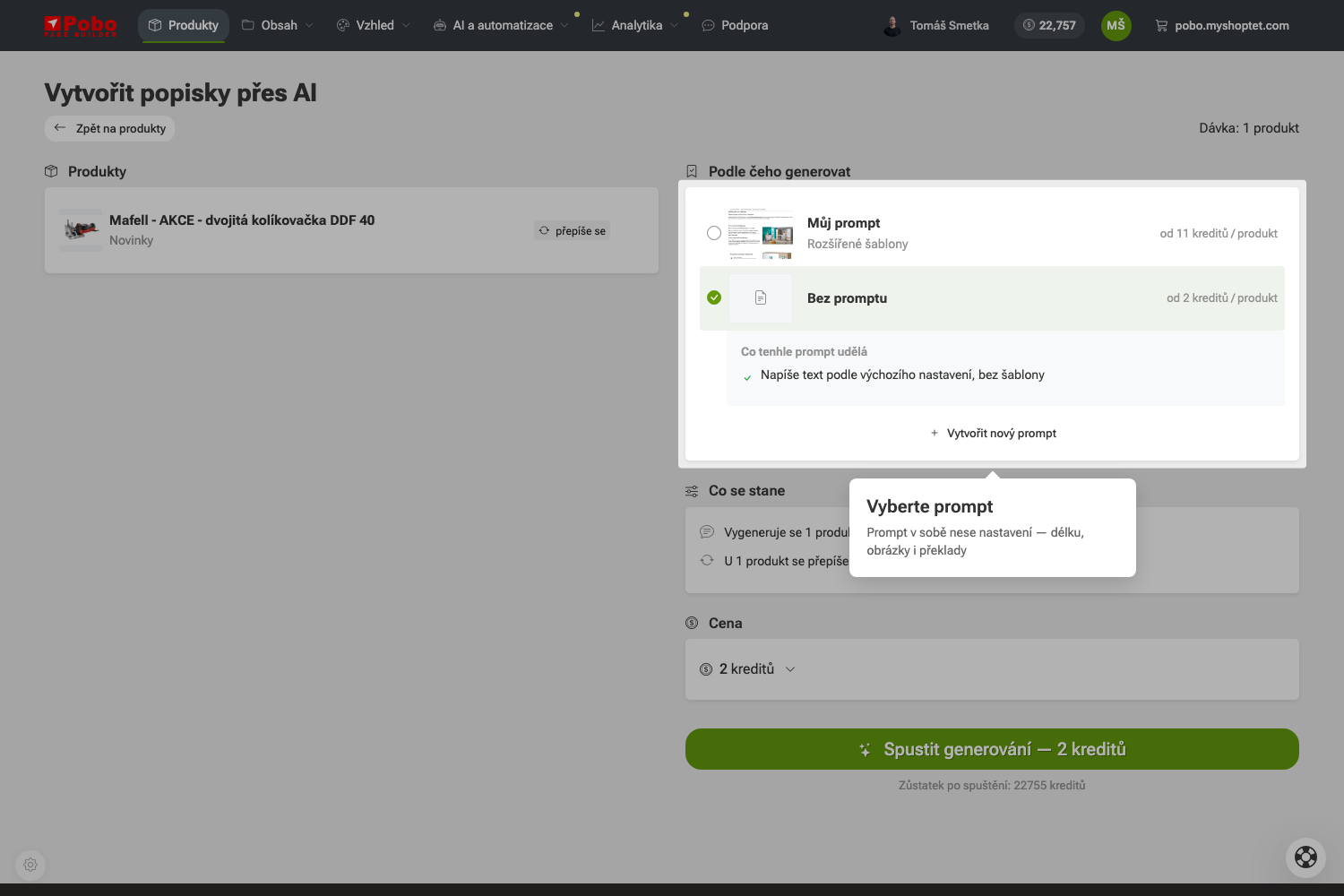 3. krok: Vyberte prompt, podle kterého se bude generovat.
 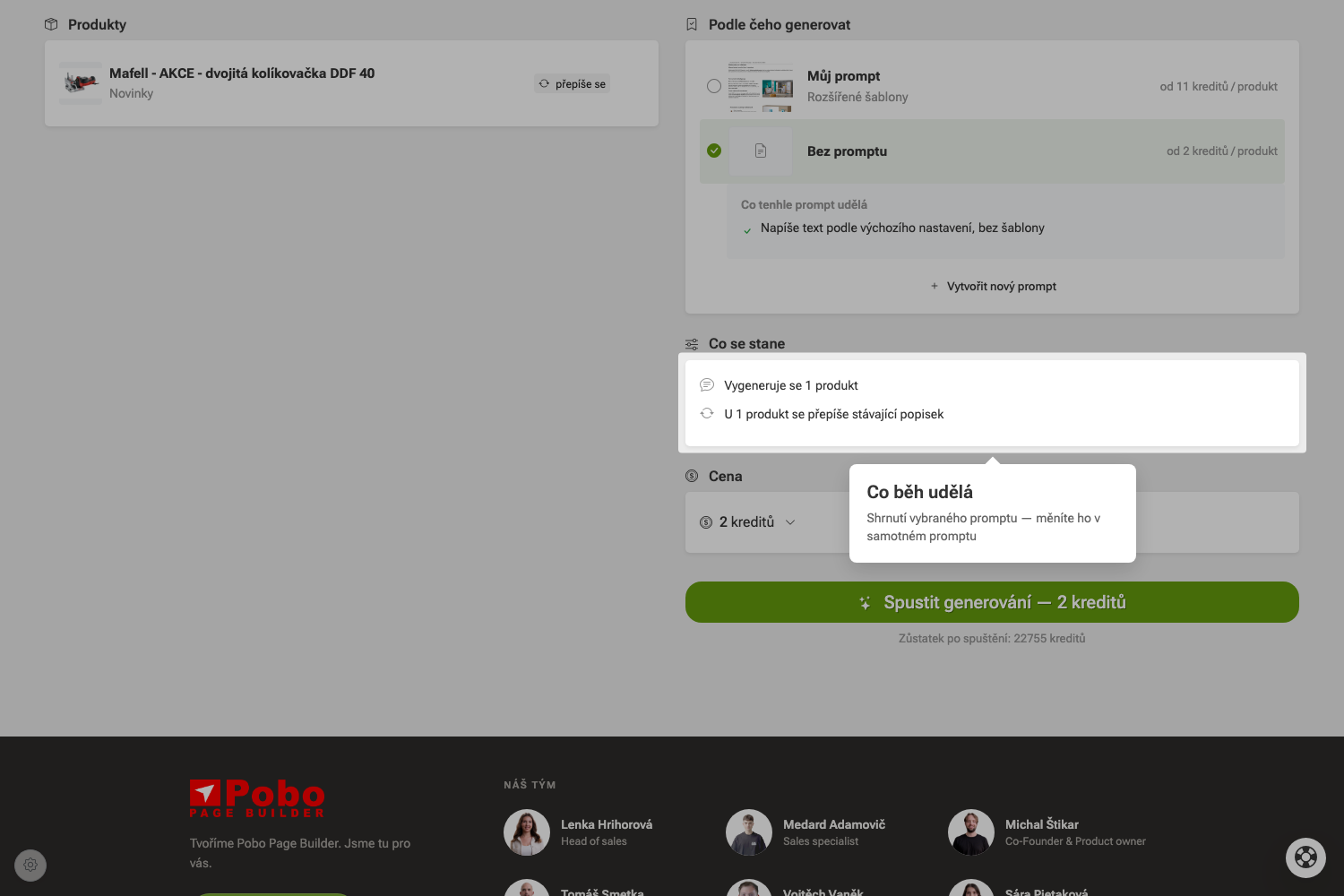 4. krok: Shrnutí ukáže, co vybraný prompt udělá.
 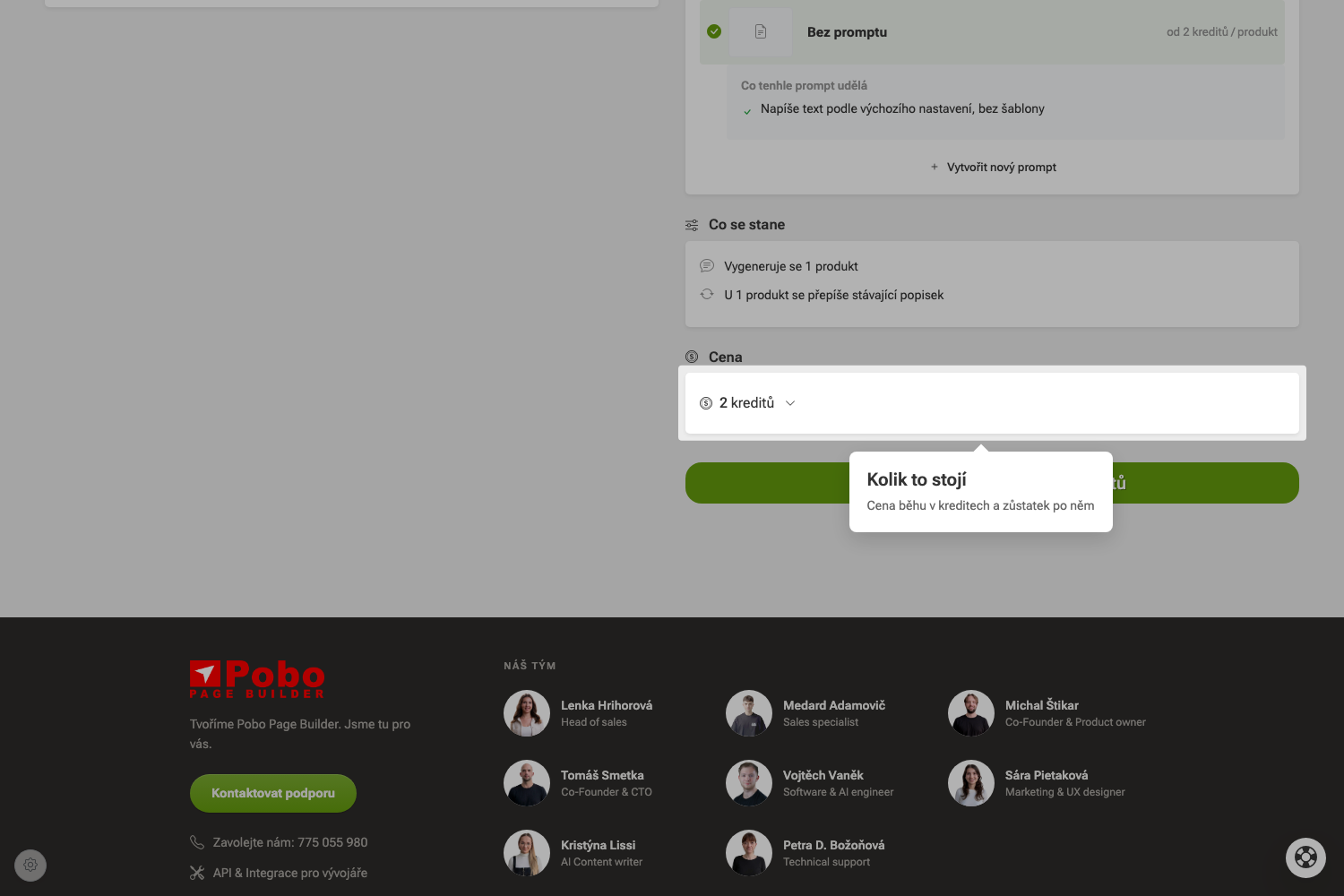 5. krok: Cena běhu v kreditech.
 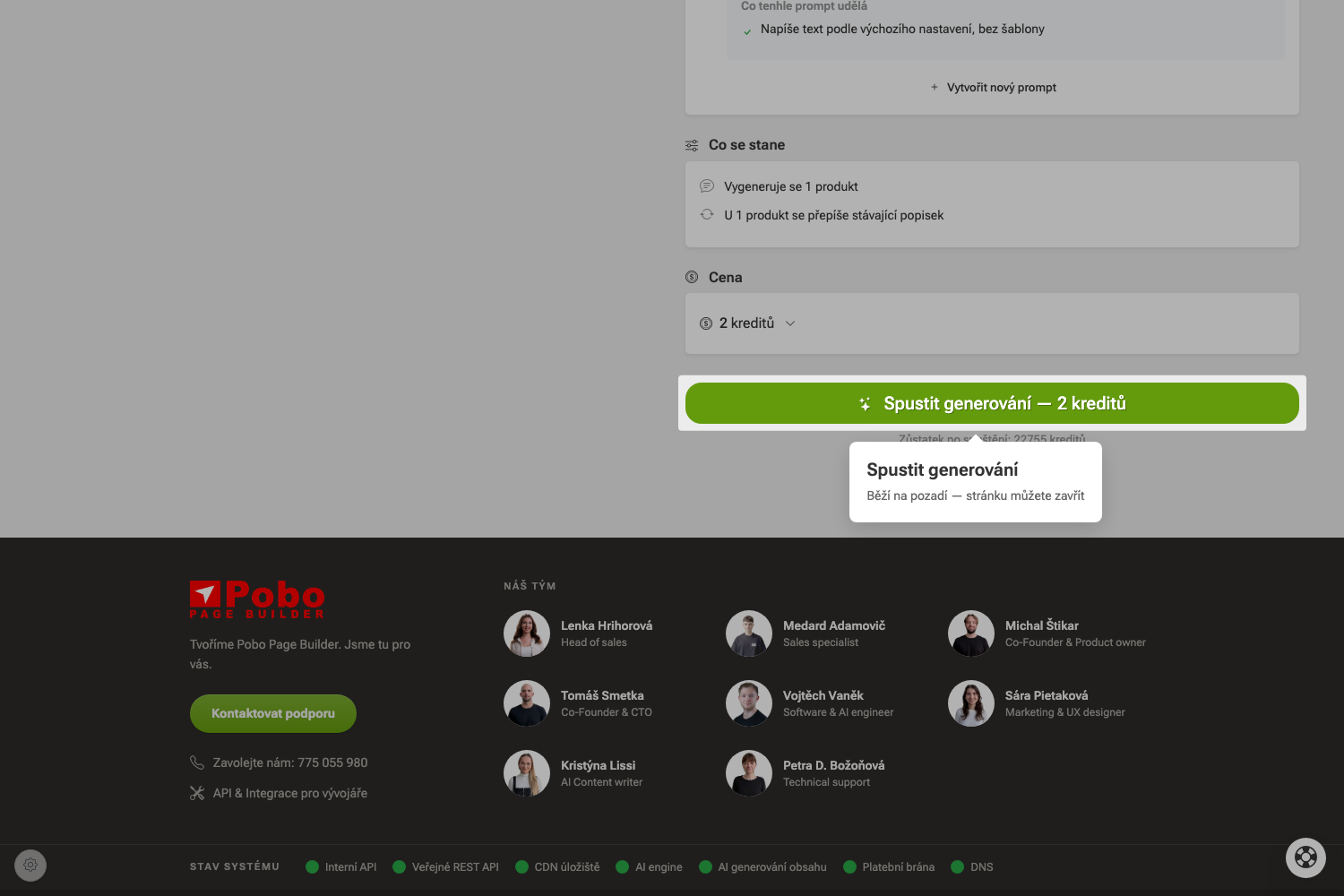 6. krok: Tlačítko říká cenu i zůstatek po běhu.
 Quick navigation
- Jak generovat obsah pomocí AI?
- Užijte si léto
- 1. Spusťte generátor
- 2. Zkontrolujte dávku
- 3. Vyberte prompt
- 4. Projděte, co se stane
- 5. Zkontrolujte cenu
- 6. Spusťte generování
- Co se stane, když kliknu na Spustit generování?
- Proč u produktu svítí varování o chybějících datech?
- Proč má každý prompt jinou cenu za produkt?
- Můžu se k rozdělané dávce vrátit později?

Thinking about Pobo? Let us show it to you.
Book a 30-minute call with Lenka. She will show you how Pobo works, what it is good for and how much writing it takes off your hands.
Book a call