


 Book a call
How to copy labels between e-shops in Pobo Page Builder
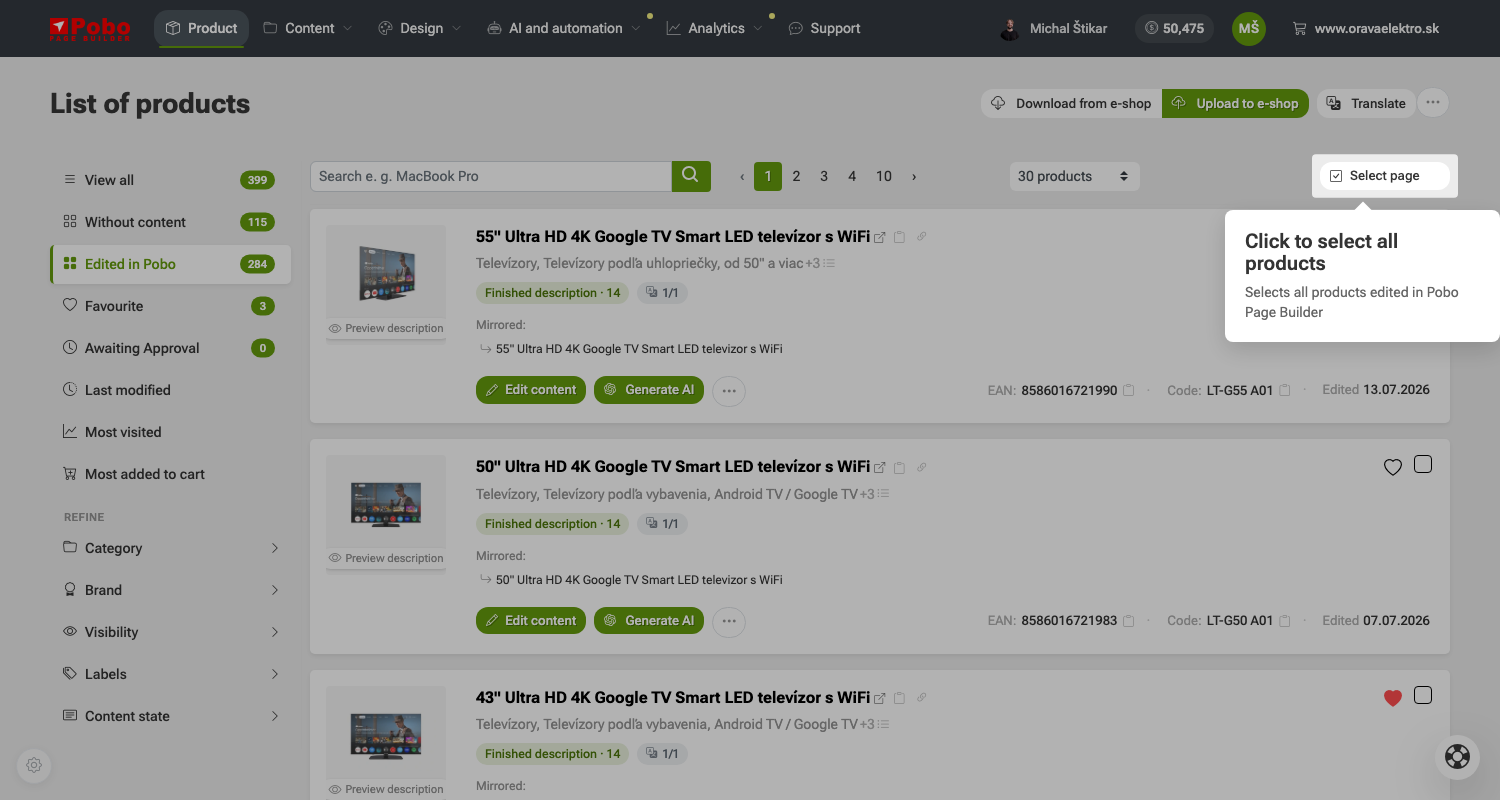 Step 1: Select all products.
 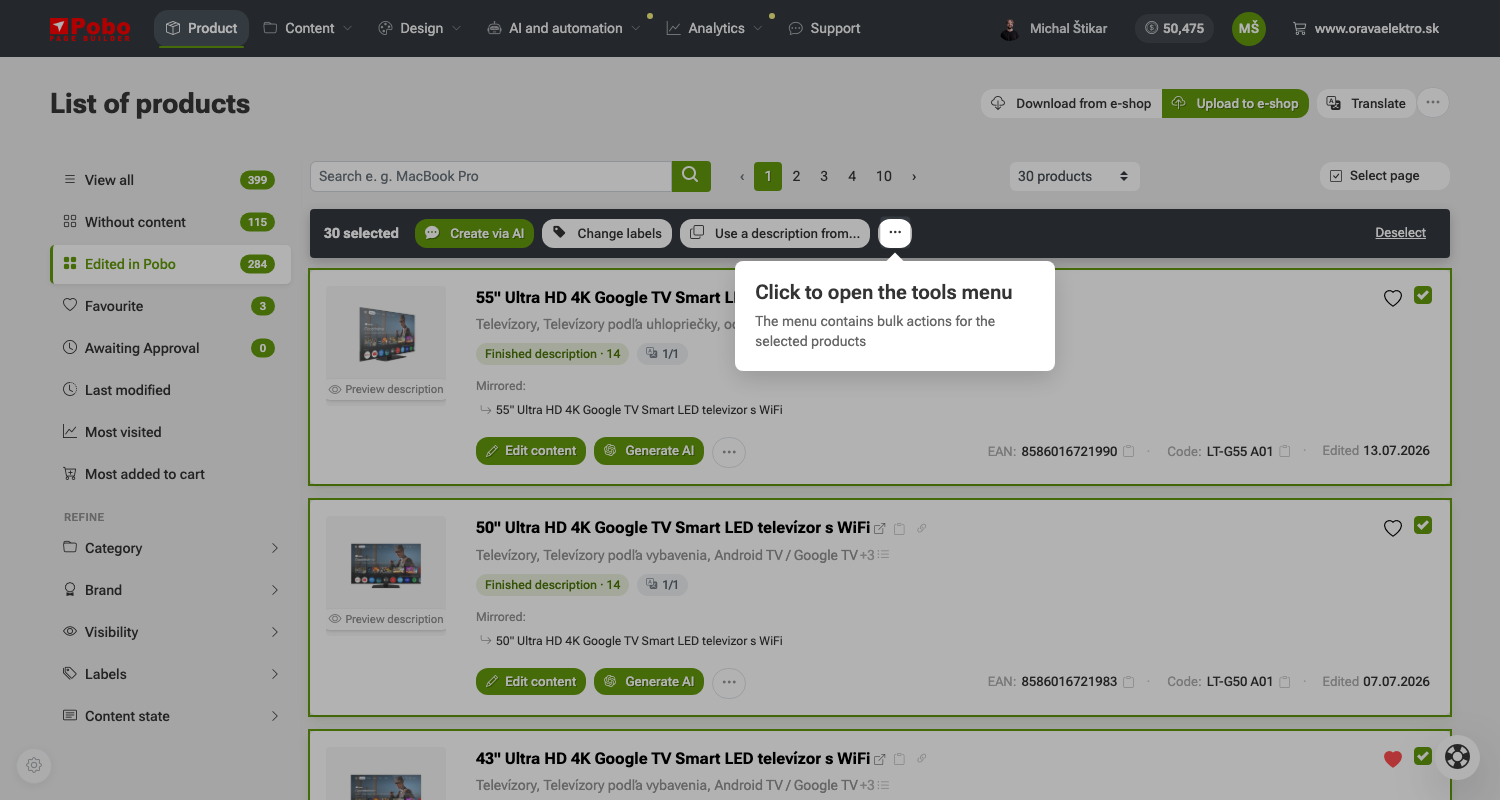 Step 2: Open the tools menu.
 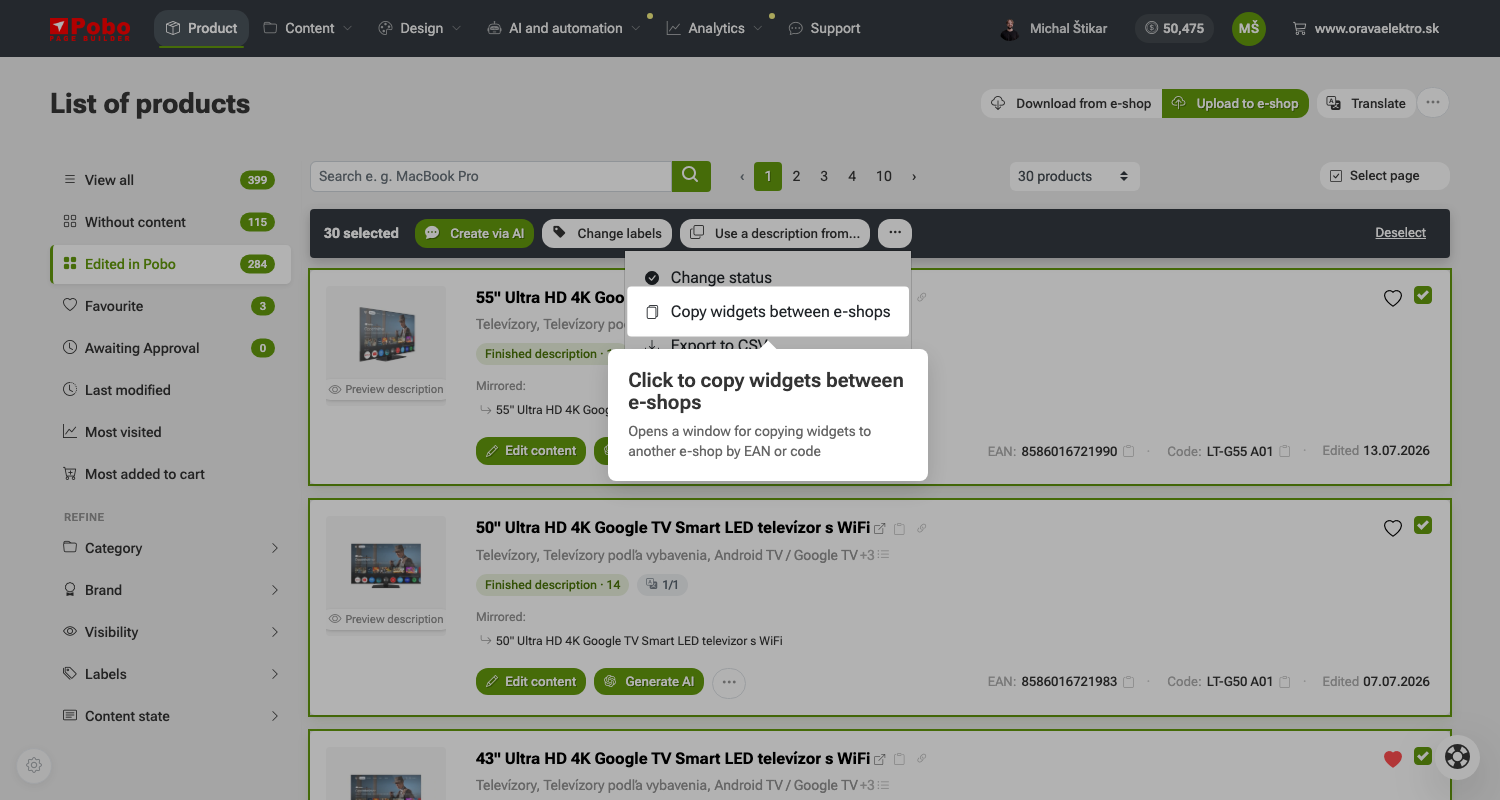 Step 3: Click the "Copy widgets between e-shops" button.
 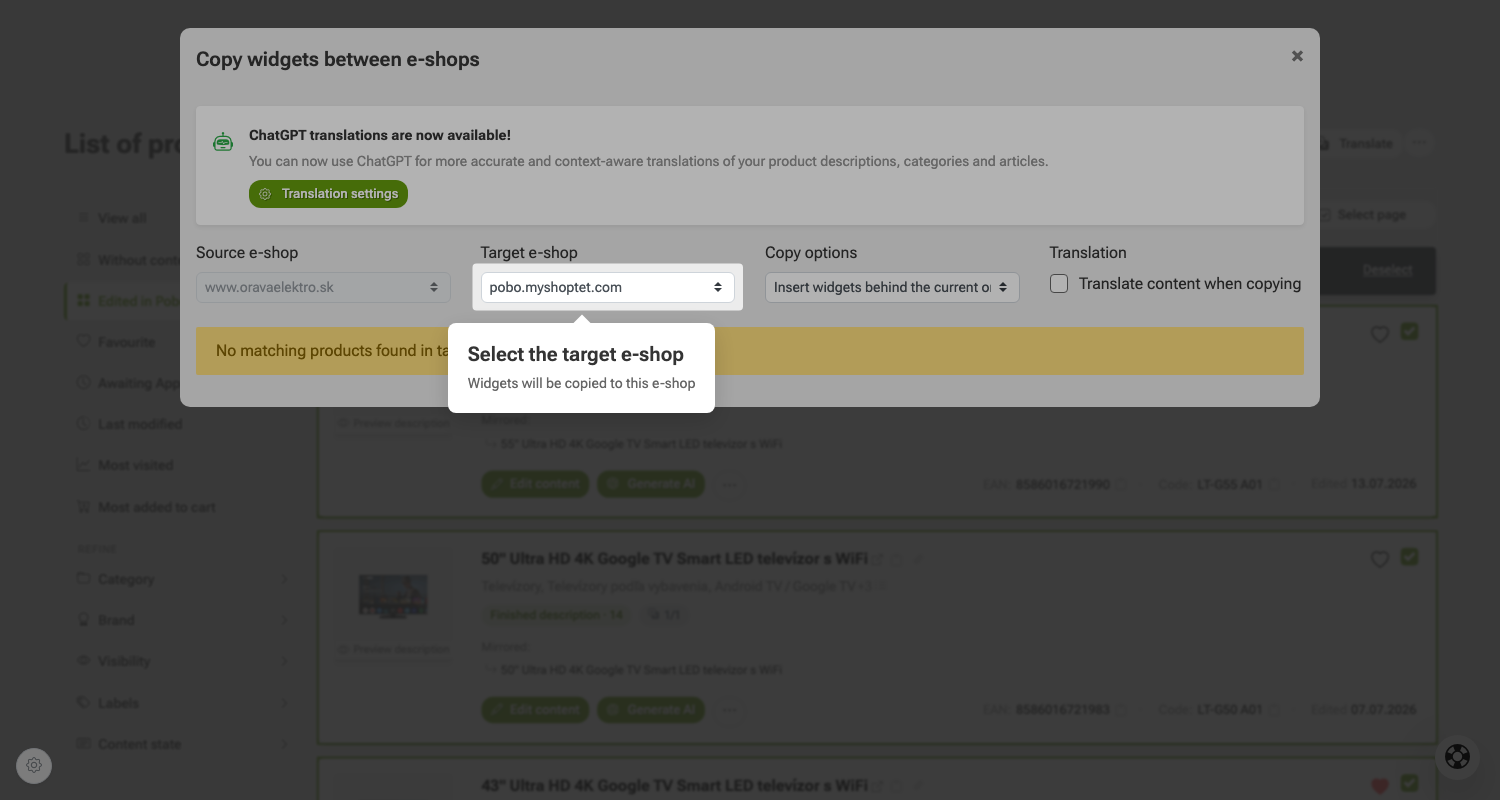 Step 4: Select the target e-shop.
 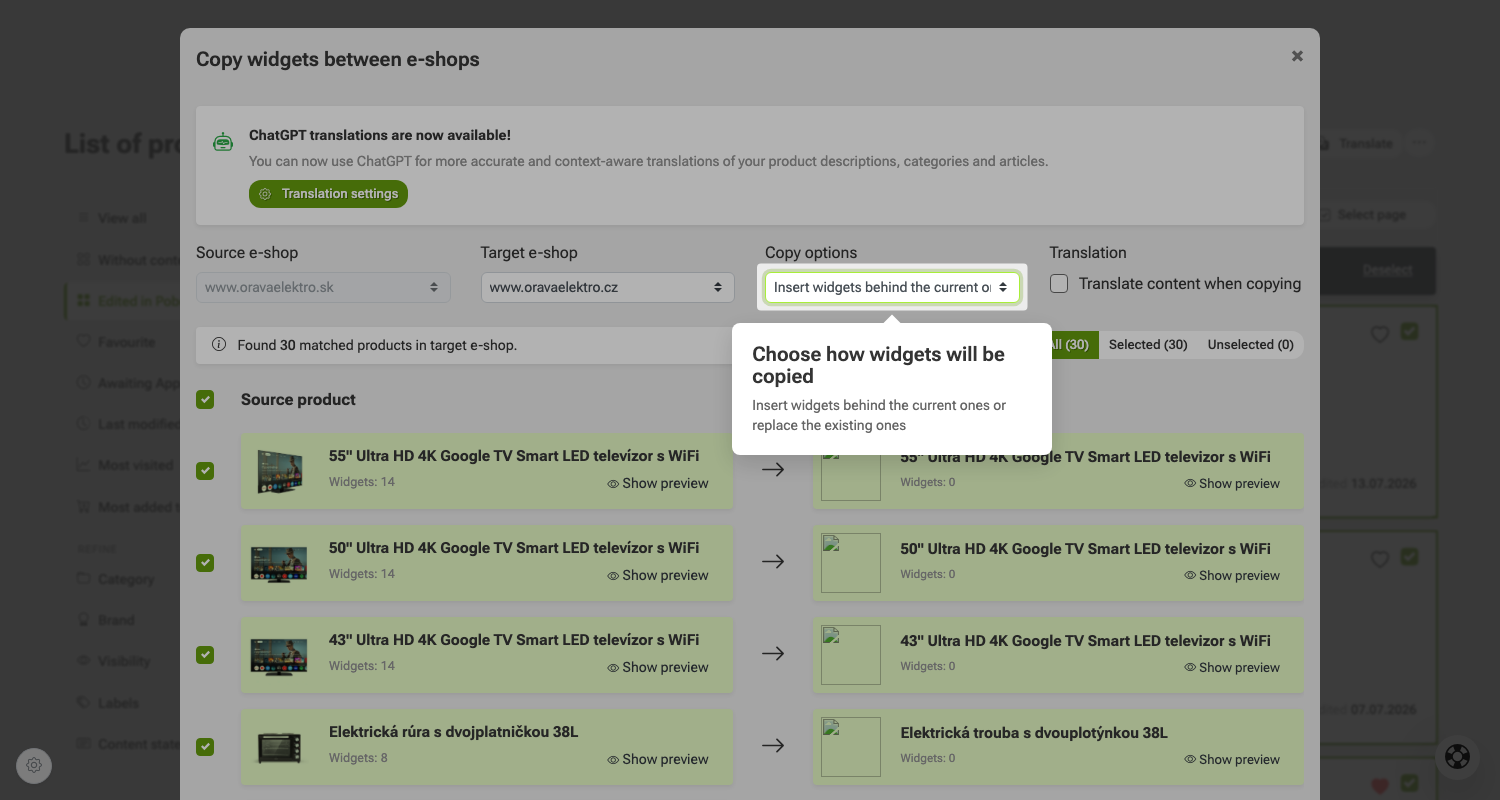 Step 5: Select how the widgets should be copied.
 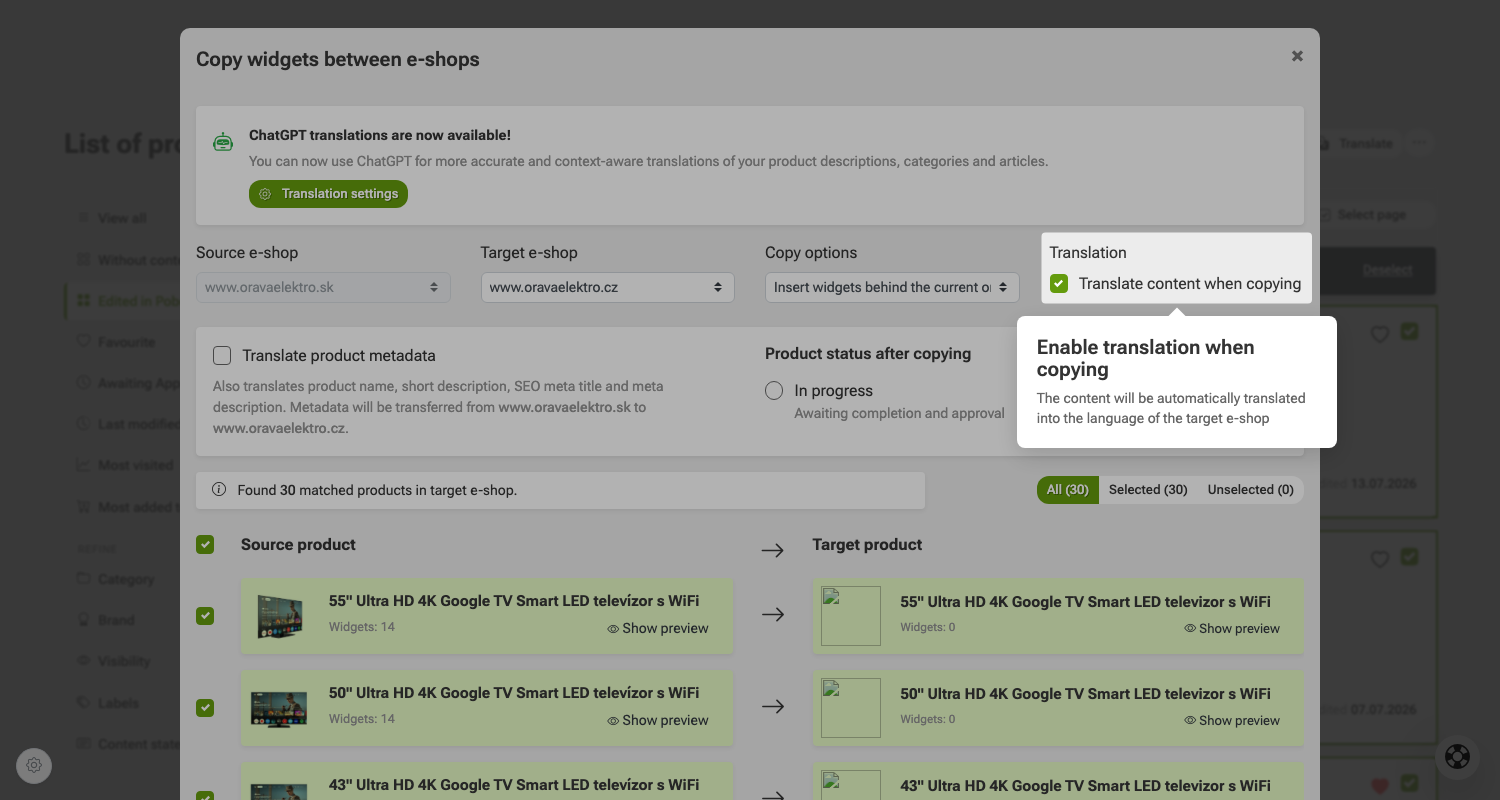 Step 6: Enable translation during copying.
 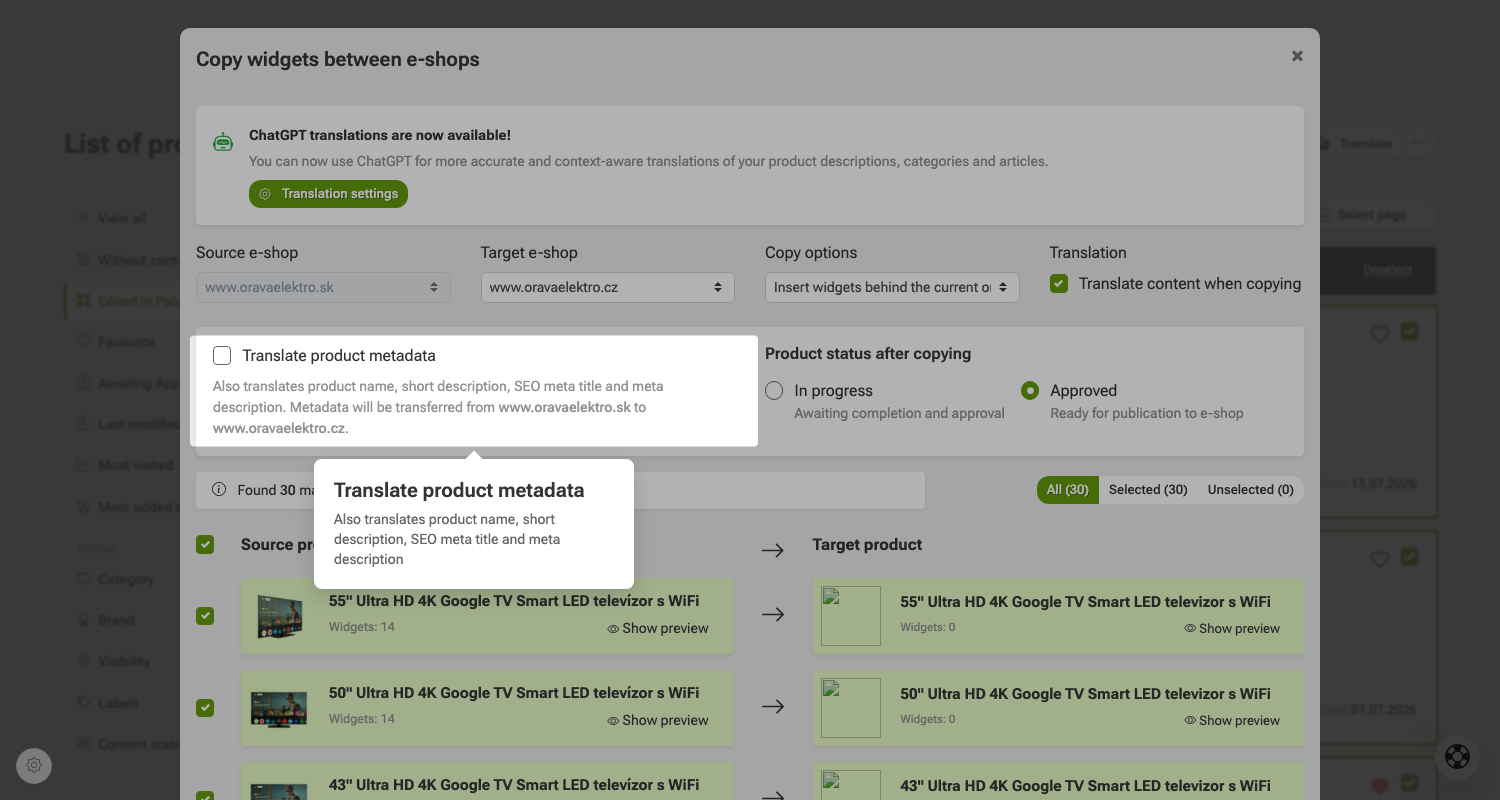 Step 7: Translate product metadata.
 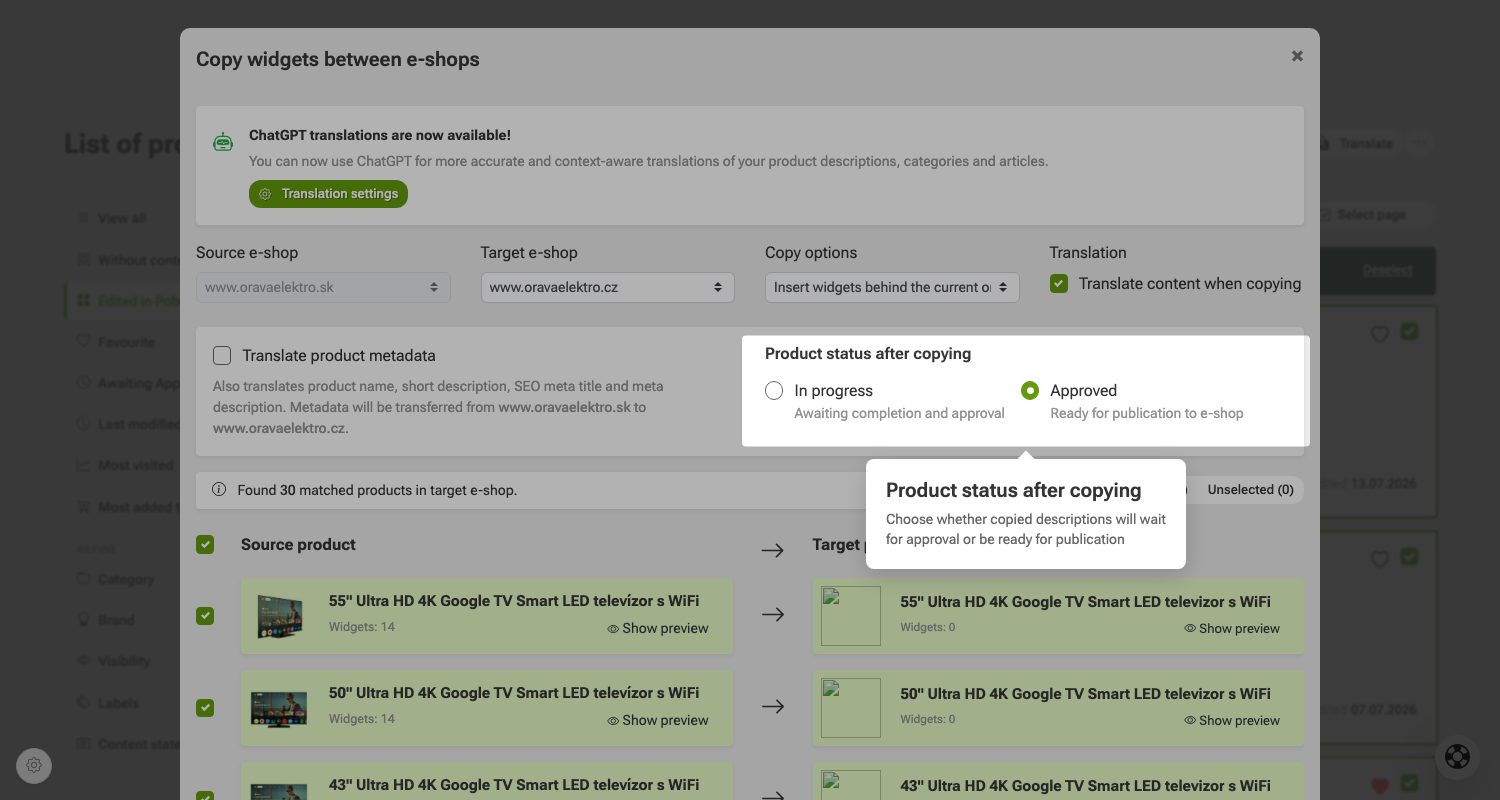 Step 8: Set the product status after copying.
 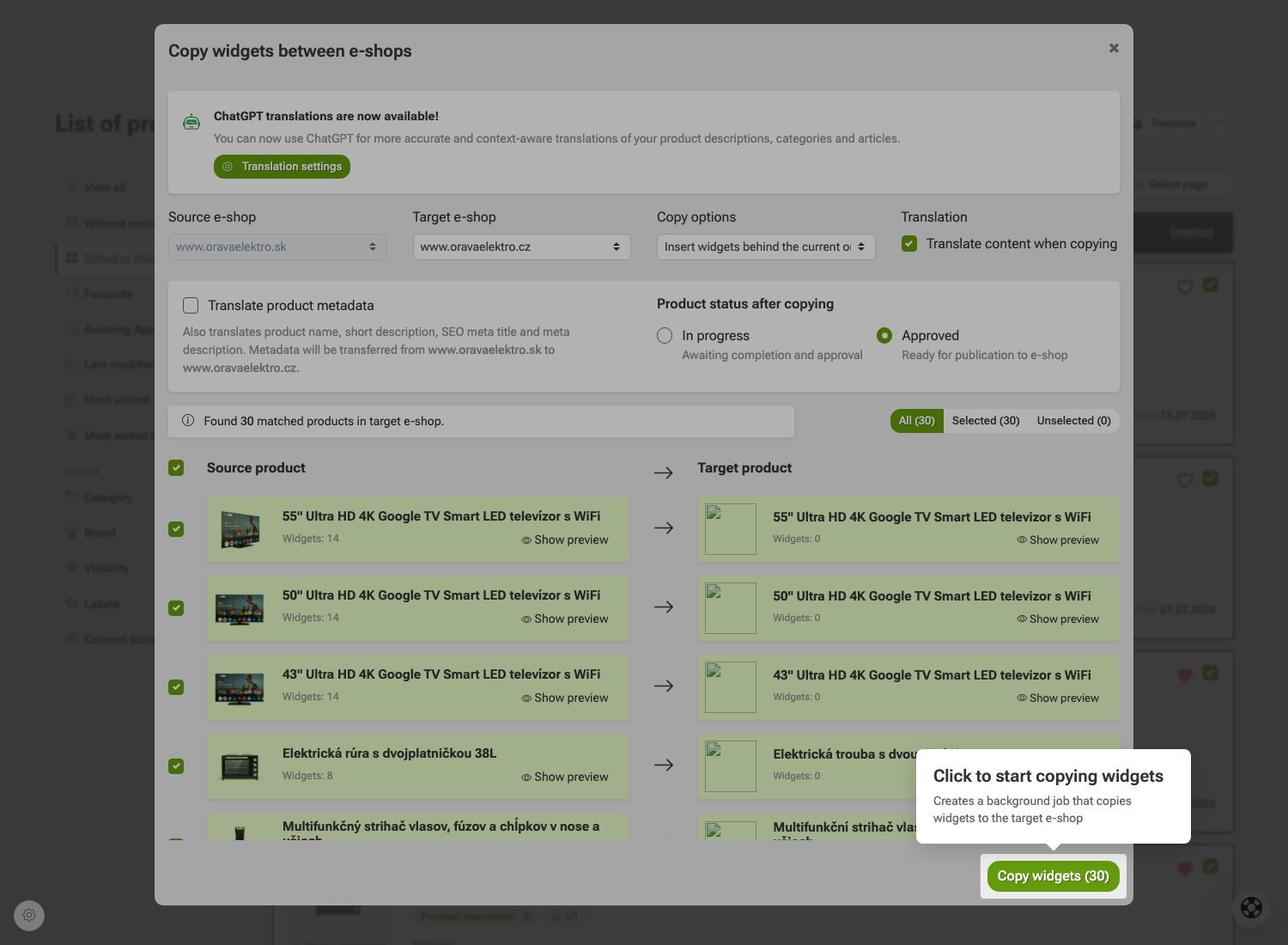 Step 9: Start copying the widgets.
Need advice?
My name is Petra and I will be happy to help you with our add-on.
Feel free to write to me by email: podpora@pobo.cz
Quick navigation
- How to copy product descriptions between e-shops in Pobo Page Builder?
- Detailed guide
- 1. Select the products
- 2. Open the tools menu
- 3. Select copy widgets between e-shops
- 4. Select the target e-shop
- 5. Select how to copy the widgets
- 6. Set up translation during copying
- 7. Translate product metadata
- 8. Set the product status after copying
- 9. Start copying the widgets

Thinking about Pobo? Let us show it to you.
Book a 30-minute call with Lenka. She will show you how Pobo works, what it is good for and how much writing it takes off your hands.
Book a call