Otestujte nákupního rádce na Vašem e-shopu a ovládejte Pobo přes chat

14.10.2026
« Back to articles

Test the shopping assistant on your e-shop and control Pobo via chat

We bring you three new features. The Shopping Assistant helps customers choose products on your e-shop. Pobáček is a chat directly in the Pobo administration – tell it what you need, and it will take care of it for you. And E-shop Expansion copies and translates your catalog to an e-shop for another country.

Otestujte nákupního rádce na Vašem e-shopu a ovládejte Pobo přes chat

The Shopping Assistant helps customers choose

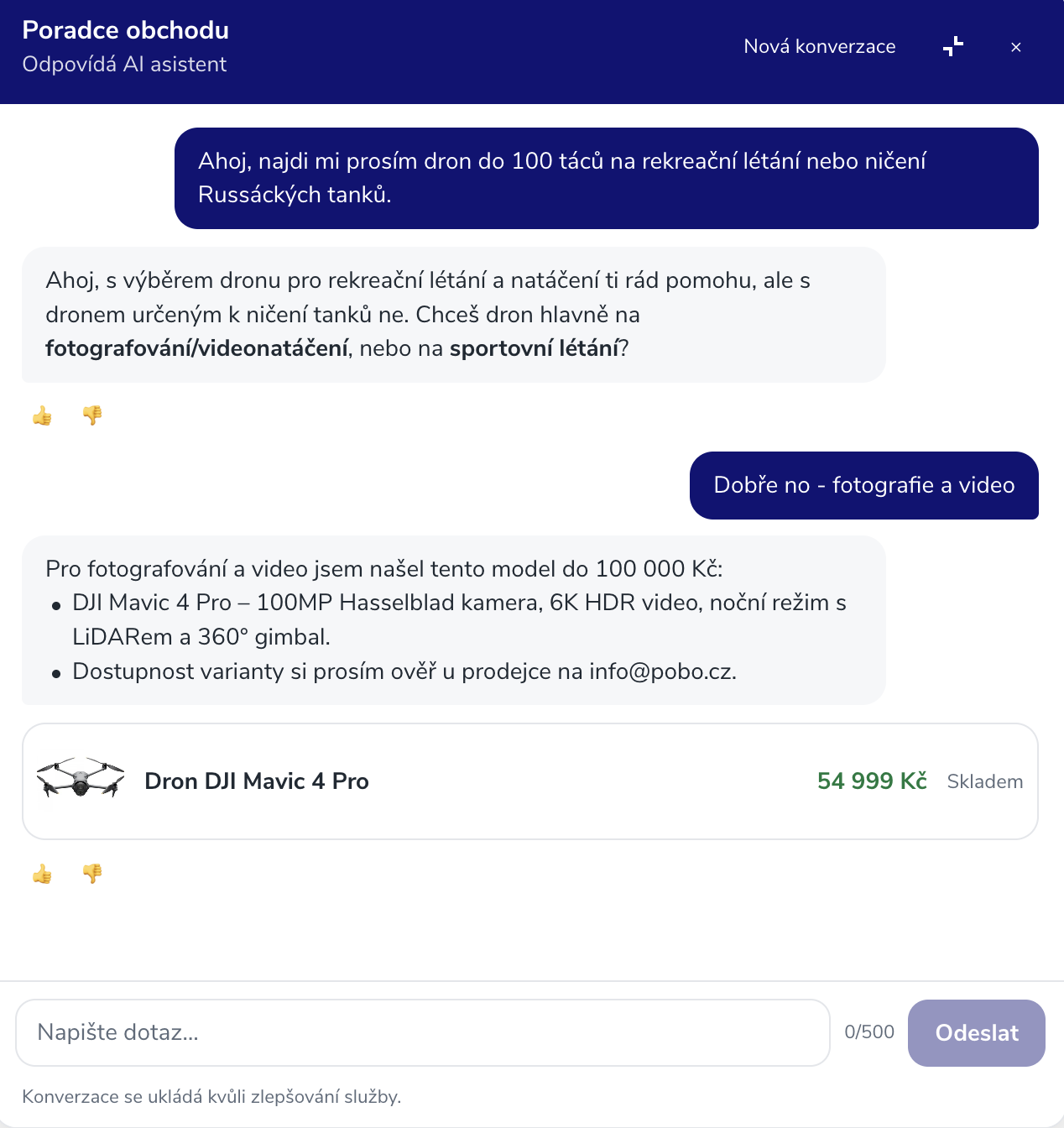
The assistant appears on your e-shop as a bubble in the corner of the page. Customers type what they are looking for – for example, “a gift for dad under CZK 1,000” or “which vacuum cleaner is suitable for pet hair” – and the assistant selects suitable products from your catalog. It displays them as cards with a photo, price, availability and link, so customers can access them with a single click.

  • It selects products only from your range.
  • It reads product names, parameters, variants and short descriptions.
  • It does not change anything on your e-shop; it only provides advice.

The Shopping Assistant is part of the SaaS plan, and you can also try it during the 7-day trial period.

How to enable the Shopping Assistant

In the Pobo administration, open AI and automation → Shopping Assistant. The wizard will guide you through three steps:

  1. Monthly budget – set how many credits the assistant may spend per month. Billing is in blocks: 1 credit for every 3 started responses to customers.
  2. Consent to the policies – confirm that you will include conversations with the assistant in your privacy policy.
  3. Enable – launch the assistant with one button.

Before enabling it, you can try the assistant in the preview. A small portion of visitors will not see the assistant – this allows you to use analytics to determine whether people shop more with the assistant than without it.
Otestujte nákupního rádce na Vašem e-shopu a ovládejte Pobo přes chat

Pobáček: control Pobo via chat

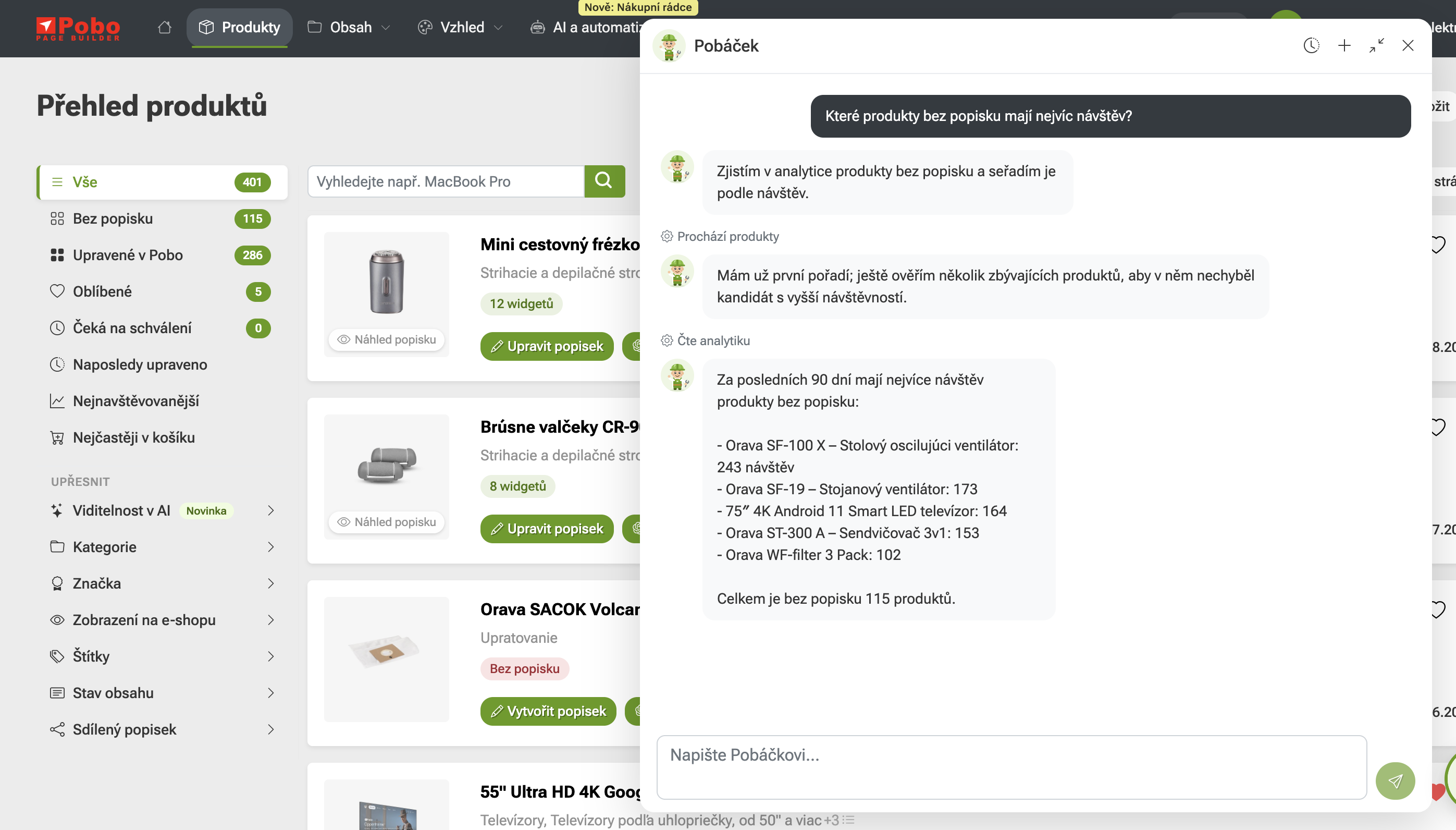
Pobáček is a chat directly in the Pobo Page Builder administration. Open it from the floating window on any page or on the dedicated Chat page. Simply write in plain English what you need:

  • “Which products get a lot of visits but have no description?”
  • “Generate descriptions for the entire Shoes category using the Modern template.”
  • “Why isn’t this product selling?”
  • “How do I set up automatic description generation for new products?”

Pobáček reads your e-shop data, provides advice and performs the task right away. While it works, you can see what it is currently doing, and you can review the completed changes and undo them if necessary.

It will not change anything without your “yes”

Before Pobáček uploads content to the e-shop, deletes something, changes settings or starts a paid action, it will tell you exactly what it is going to do and how much it will cost, and wait for your confirmation. Confirm by clicking the button below the message or simply reply “yes”.

Pobáček requires Pobo LLM to be enabled. If it is not enabled, it will offer to enable it with one button the first time you open it. Enabling it does not cost anything.

E-shop Expansion: extend your catalog to another market

Do you have a separate e-shop for each country, such as .cz and .sk on Shoptet? Expansion copies the catalog from one e-shop to another and immediately translates it into the language of the target e-shop.

  • It copies products with variants and parameters, categories and articles, including photos, brands, and SEO titles and descriptions.
  • You can copy descriptions from Pobo or have them mirrored, so that changes made in the source e-shop are also reflected in the target one.
  • Optionally, it also transfers Pobo settings: custom templates, prompts, widget style and AI profile.
  • Anything already present in the target e-shop is only matched and not overwritten. Expansion will offer similarly named categories for matching; it does not merge anything automatically.
  • New products are created hidden and without a price. You remain in control of the price, stock and publication.

Before launching, you will see a plan with an estimated price: 10 credits per product or article, 1 credit per category, and matched items are free. You only pay for what is actually created.

You can find Expansion in the Pobo administration under the E-shop Expansion menu. It works between e-shops on Shoptet.

Pobo

Thinking about Pobo? Let us show it to you.

Book a 30-minute call with Lenka. She will show you how Pobo works, what it is good for and how much writing it takes off your hands.

Book a call