Novinky v Pobo - automatické ořezy, doplňování šířky + výšky fotek, vylepšené prompty

27.07.2026
« Back to articles

5 great July updates in Pobo Page Builder

In July, we added several major automation updates that will save you a lot of time. Let’s take a look at them.

Novinky v Pobo - automatické ořezy, doplňování šířky + výšky fotek, vylepšené prompty

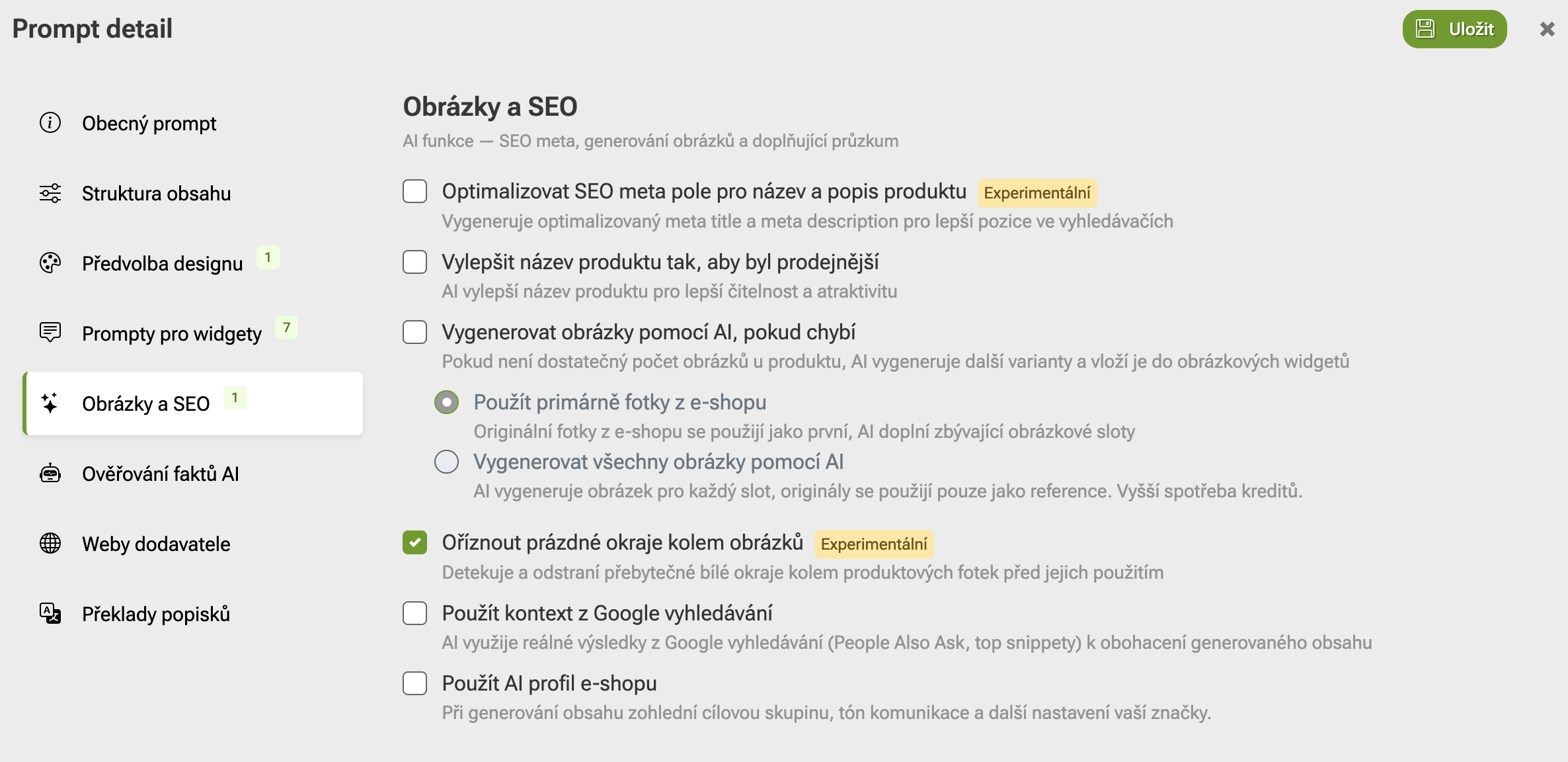
1. Automatic removal of white space from product photos

Until now, it was necessary to manually crop excess white space from photos for each product individually, which was time-consuming. Now, when generating descriptions using AI, you can choose whether you want to remove white space from the photos.

Bonus: Pobo adds width and height to product photos

When cropping, Pobo Page Builder also adds width and height attributes to each photo. This means that the page content shifts less while loading and the CLS metric improves.

Retrospective removal of white space from product photos and adding height and width

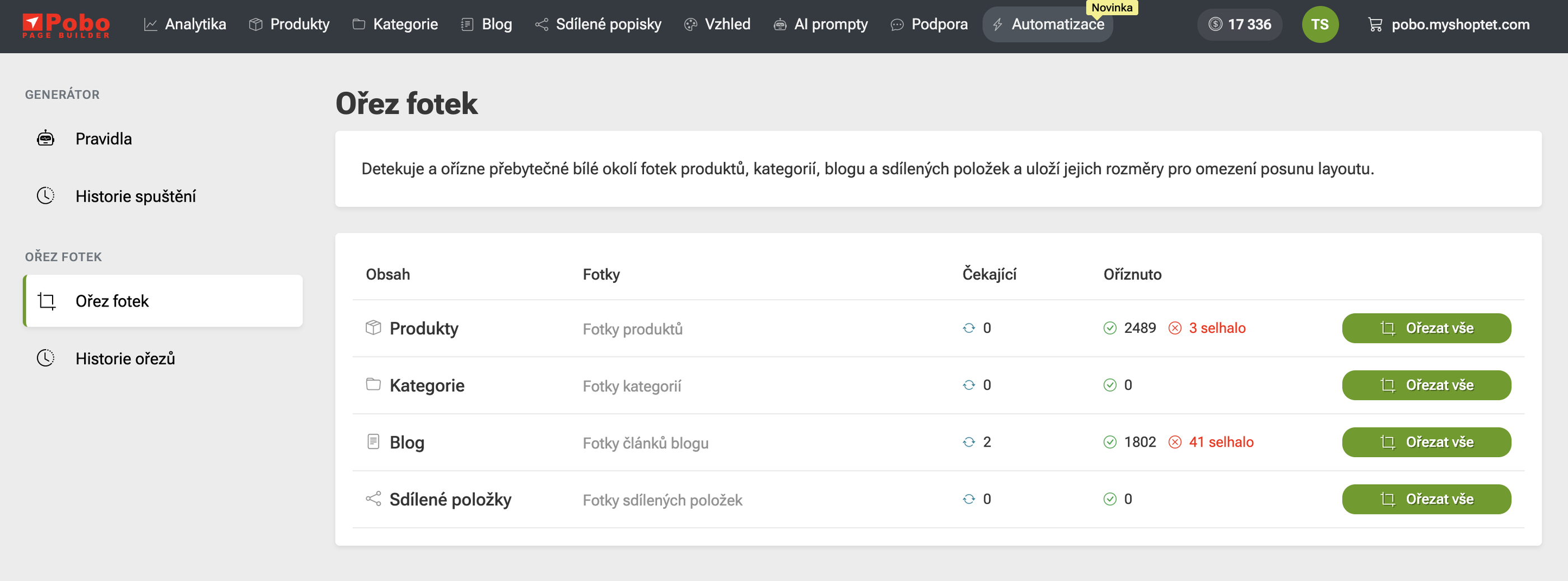
You can also remove white space from photos retroactively for product descriptions that you have already created. In the administration under the “Automation” tab, you will find buttons — after clicking, Pobo removes the white space around all product photos and adds their dimensions.

Why it’s worth it

Novinky v Pobo - automatické ořezy, doplňování šířky + výšky fotek, vylepšené prompty

Photos look larger and cleaner

Without an unnecessary white border, the product fills the entire photo area and stands out more on the page.
Novinky v Pobo - automatické ořezy, doplňování šířky + výšky fotek, vylepšené prompty

The page doesn’t jump while loading

The browser knows in advance how much space to reserve for the photo. The text below it therefore doesn’t shift, and customers won’t accidentally click next to it.
Novinky v Pobo - automatické ořezy, doplňování šířky + výšky fotek, vylepšené prompty

Better Google rankings

Smooth loading is measured by the CLS metric, which Google takes into account when ranking search results.
Novinky v Pobo - automatické ořezy, doplňování šířky + výšky fotek, vylepšené prompty

A consistent look throughout the e-shop

Photos from different suppliers have the same margins after cropping, making the product listing look organized.
Novinky v Pobo - automatické ořezy, doplňování šířky + výšky fotek, vylepšené prompty

No extra work

You don’t have to crop photos manually in the editor—Pobo does it automatically when generating the description.
2. Product cards in descriptions

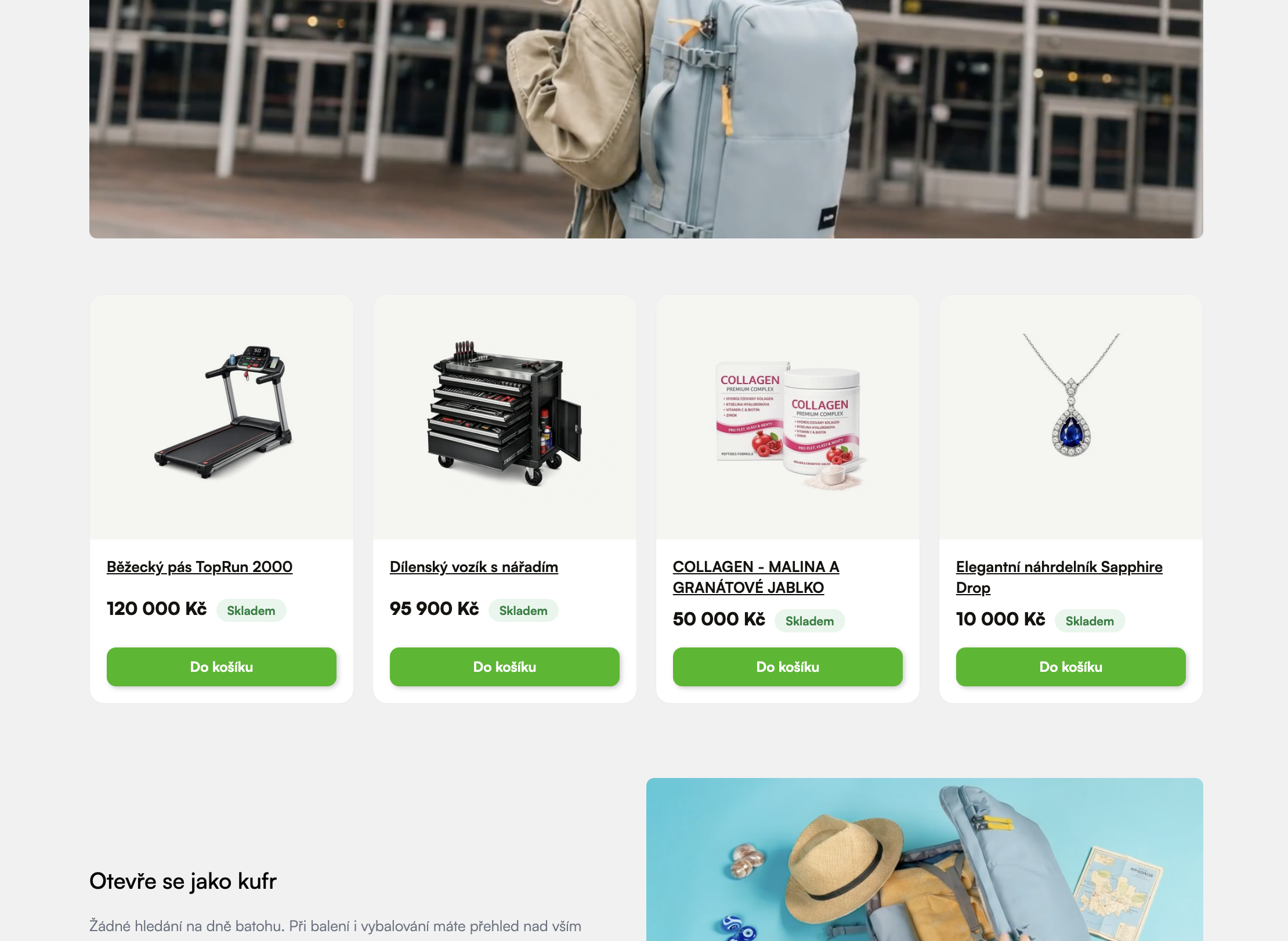
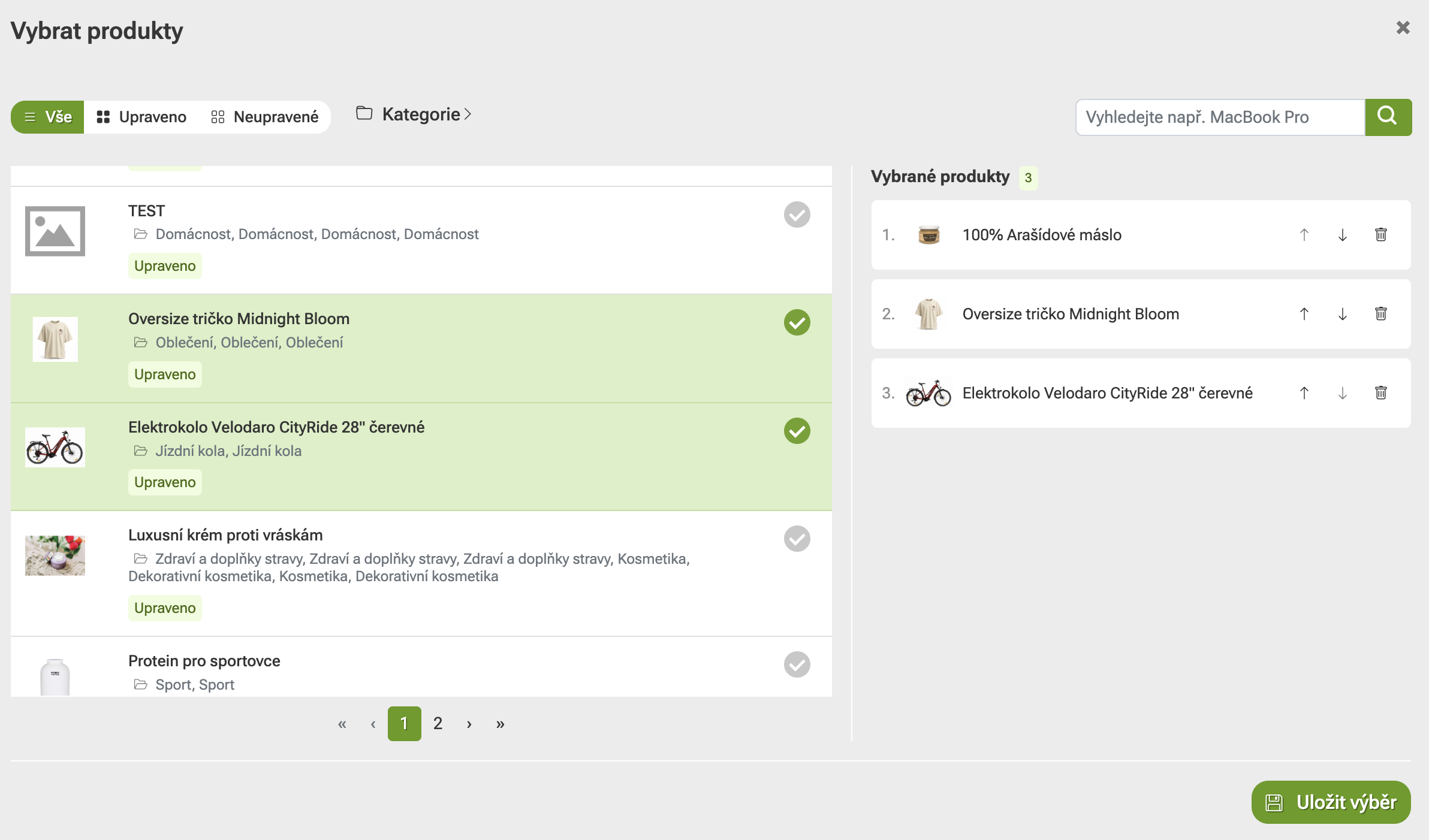
You can now insert product cards into blog articles or product descriptions, displaying the product image, name, price, availability, and a purchase button. Thanks to these cards, visitors can purchase products directly without leaving the page. 

What happens if a product is sold out? Will it be displayed in the e-shop? Can it be purchased? 

In principle, a product can only be purchased if it is in stock. Unfortunately, due to the variability of product statuses, we cannot allow customers to purchase a product that may go into negative stock, and so on. 

Do you always display current prices? Which price is displayed when a product is repriced?  

To avoid wasting the resources of our servers and those of our partners (Shoptet, Upgates, Shopify), we cache the selected products displayed in descriptions. The cache retains this information for 15 minutes. After these 15 minutes, fresh information is loaded from your e-shop again.


3. MCP server 

One major new feature in Pobo Page Builder is the so-called MCP server. It allows you to write articles, add tags to products, or modify the appearance of descriptions. You can find out how to connect MCP on this page:

Connect MCP to Pobo Page Builder


4. Better prompt management

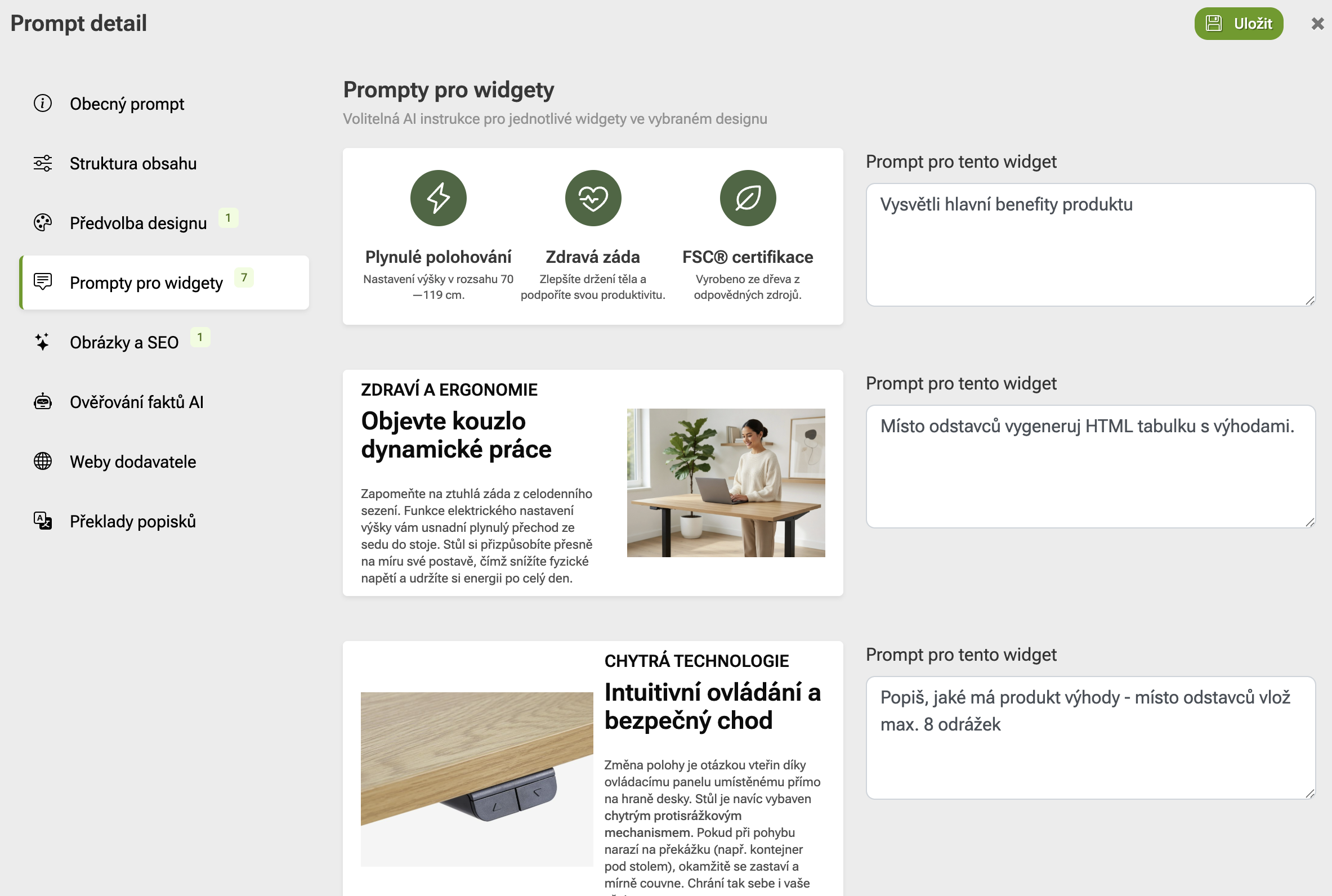
It is now possible to write a custom prompt for each widget instead of using the templates currently used for generating descriptions with AI (i.e., the design style). This makes the results more predictable.

5. Downloading AI-generated photos

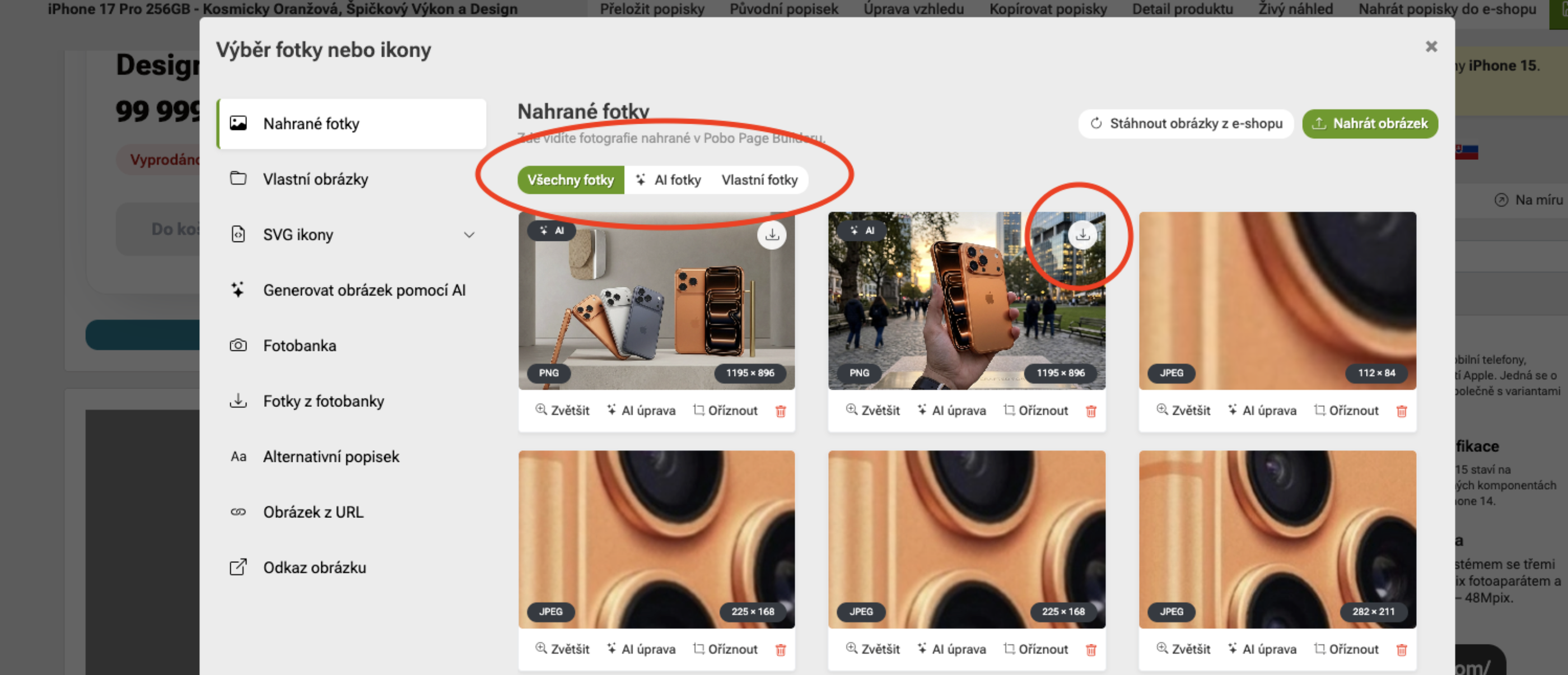
We have added a highly requested feature to our gallery. You can now download AI-generated photos that you created in Pobo. The photos will then be downloaded to your device, and you can use them anywhere. 

Pobo

Thinking about Pobo? Let us show it to you.

Book a short 30-minute call where we'll show you how Pobo works, what it's good for, and how it can save you a lot of time and money.

Book a call