Zářijové novinky v Pobo: ikony na míru každému produktu a připojení AI agenta

20.09.2026
« Back to articles

September news in Pobo: custom icons and AI agent integration

In September, we added two things to Pobo that save you work and help customers make decisions. Pobo now draws icons for parameters and benefits itself for each product - instead of a generic image from the library, you get an icon that matches what is written next to it.

Zářijové novinky v Pobo: ikony na míru každému produktu a připojení AI agenta

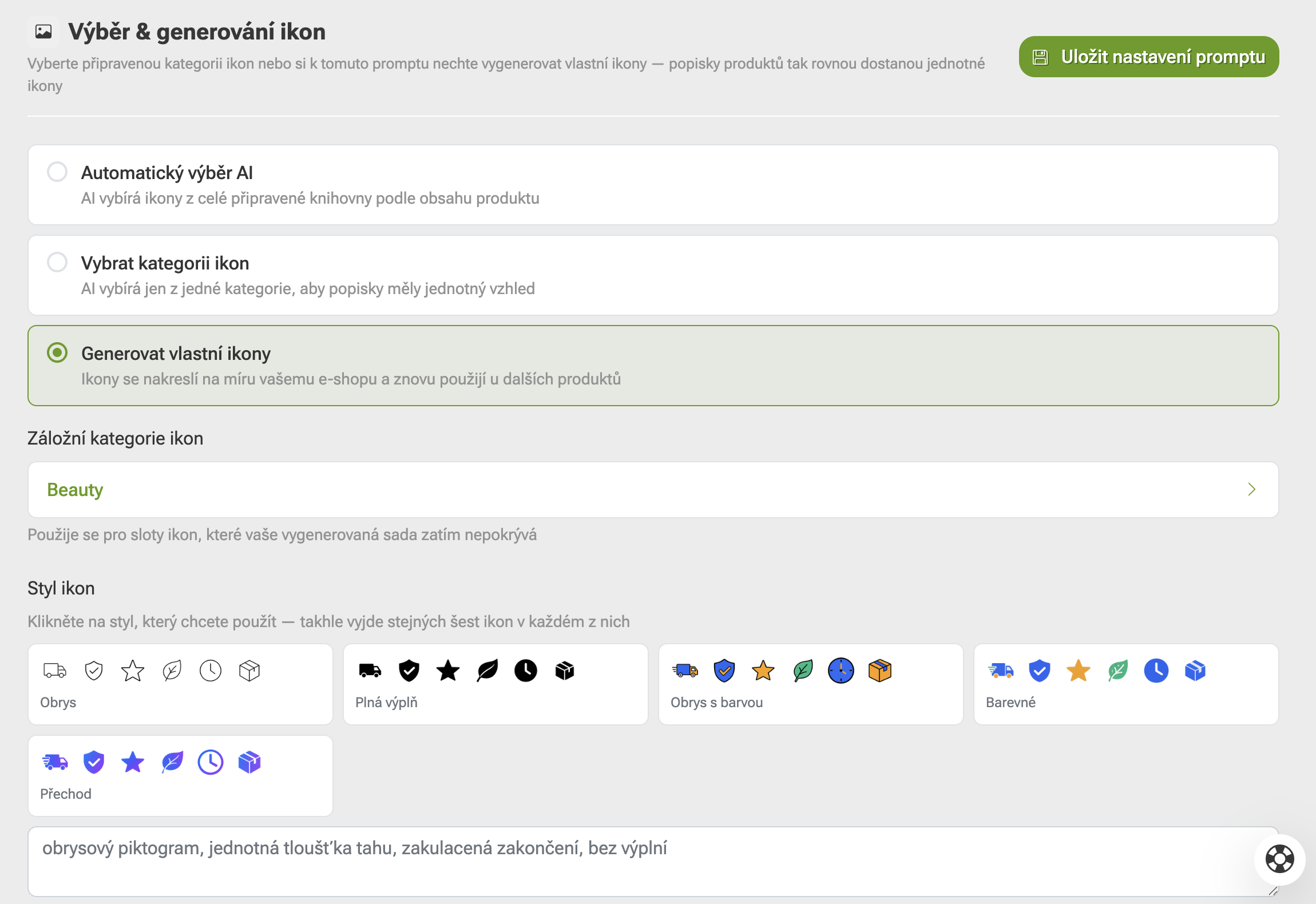
Generating icons for product parameters and benefits

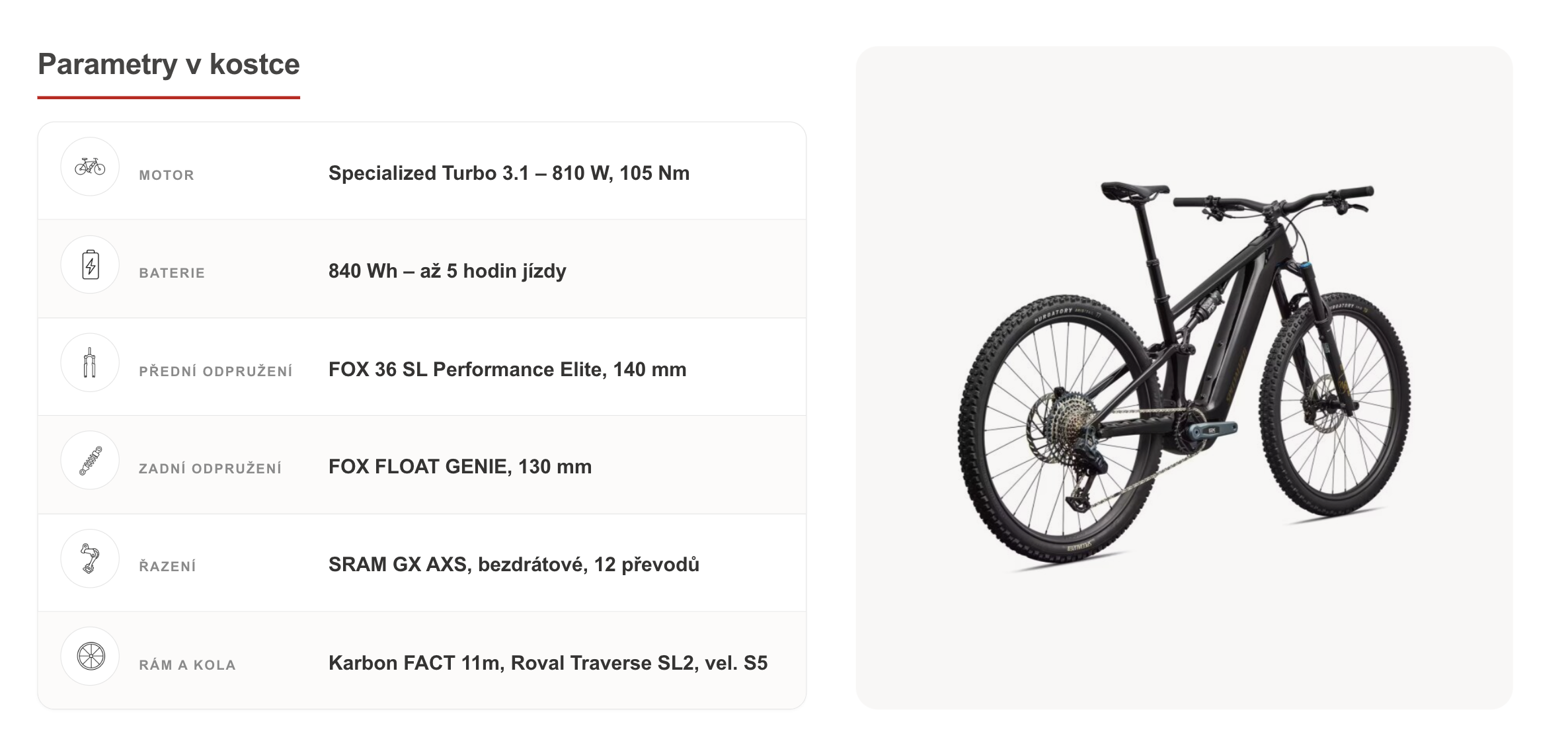
Icons next to parameters and benefits are visual anchors. Customers do not read a description from beginning to end - they scan it and stop where something catches their attention. When a measuring cup appears next to “Volume 11 ml,” they understand it at first glance.

Until now, icons were selected from a library of ready-made images. The closest match was only halfway suitable, and the same icon was repeated across dozens of products - you would find the same droplet or shield next to lipstick, dog food, and a drill. Customers subconsciously read this as “no one really put effort into this.”

Now, for each icon, Pobo first considers what it should show, based on the text it will appear next to. For “Suitable for: lips,” it draws a mouth; for “Nourishing oils,” a bottle of oil. The icon is no longer just decoration and becomes part of the information.

Turn icons on once and forget about them

You will find the generation setting in the prompt settings - the place where you tell Pobo how to write descriptions. Select that icons should be drawn, and that is all you need to do - Pobo will handle it automatically for every subsequent generation.

The drawing runs in the background, so you do not have to wait for it. You get the description immediately, and the icons are added to it automatically a moment later. You do not need to monitor the page or start anything again.

There is one more detail you can see: we crop and center each icon on a canvas of the same size. As a result, icons in one row look visually consistent. It sounds like a small thing, but it is what determines whether a block looks like finished work or a collage of differently sized images.

Pobo LLM: an AI MCP assistant that works directly in your descriptions

You may already have texts written for you in ChatGPT or Claude. The annoying part is transferring them: copying product details into the chat, copying the result back into the editor - and repeating this for every product. With twenty products, it takes an entire afternoon.

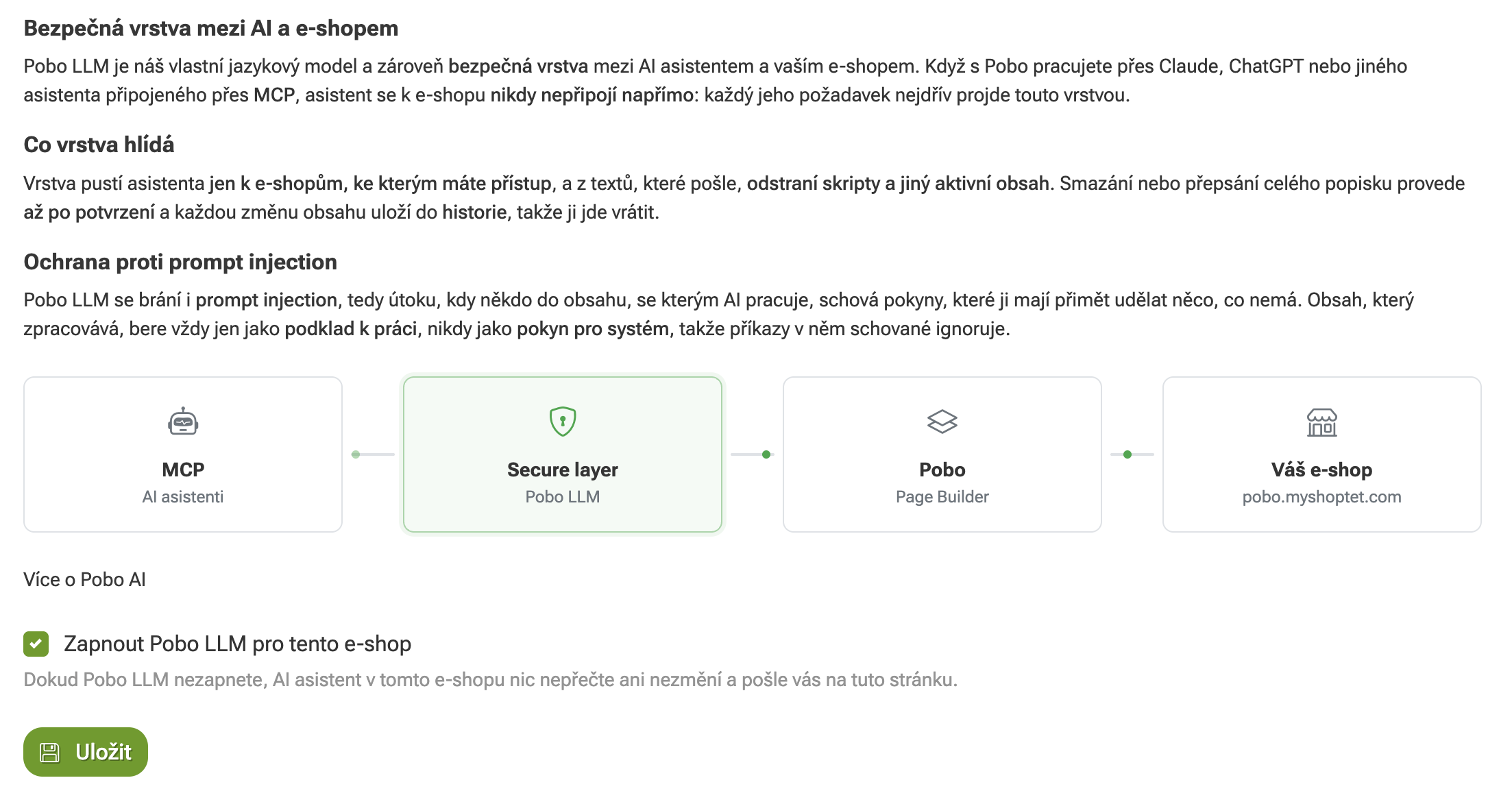
Pobo LLM eliminates this step. Turn on a single switch in the settings, and your AI assistant can see your store’s content directly in Pobo: it reads the description, adds a missing block, replaces a photo, or adjusts a title. You simply tell it what you want in an ordinary sentence.

Until you turn on the switch, it cannot access anything. The decision is entirely yours, and you can revoke it at any time.

What MCP can do for you

It works the same way for products, categories, and blog articles, so you do not have to learn three different procedures. A request such as “add a parameter table to these twenty products” can be handled with a single instruction.

It can assemble an entire description in one step - select blocks, write texts, and add icons and photos. It can also find places where something is missing: it reviews the descriptions across your entire store and tells you where there is no size chart or where the material has not been mentioned.

It also helps with tasks you would rather not do manually: it inserts a carousel of real products as purchase recommendations, selects a photo from your library, or converts a block to a different template when you no longer like the appearance. This saves a lot of clicking.

Nothing disappears without your approval

The most common concern is understandable: what if AI deletes a description I have spent half a day working on? That is why deleting, rewriting, and copying all have two stages. In the first, the assistant only shows you what the change would affect and waits. Nothing happens until you confirm it.

The second safeguard is history. Pobo saves a version of the description every time you save - not only when AI modifies the content, but also when you edit it manually in the editor. You can therefore return to a previous version at any time.

In practice, this means that you can afford to experiment. If the result does not work out, go back one step and try it another way.

More new features you will find useful

Turn an ordinary photo into a short video

Movement on the page without a camera or studio

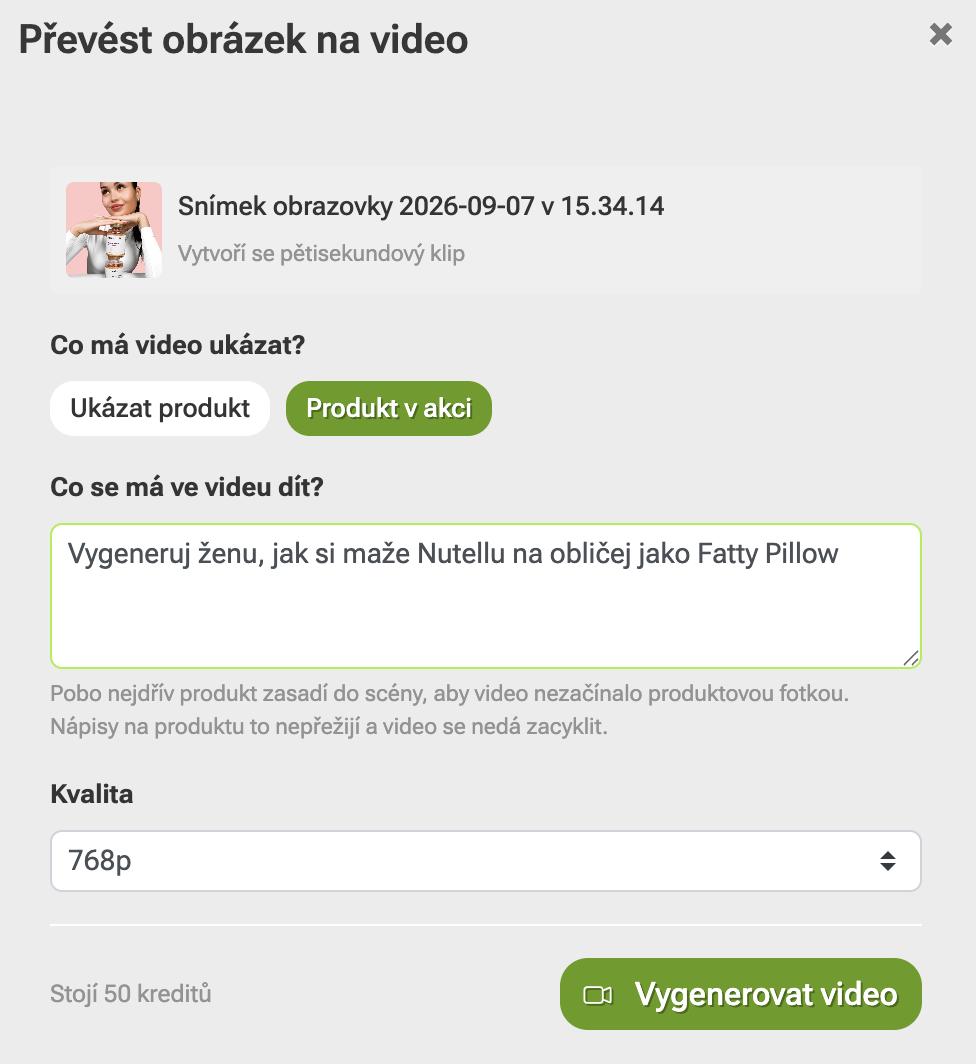
Movement on a page attracts more attention than a static photo, and you no longer need a camera or studio to create a video. Select a photo you already have in Pobo, and Pobo will turn it into a short clip that you can then add to the description.

It is useful for products where you want to show the material, a detail, or how it is used: how fabric moves, how metal shines, or how a stroller folds. This helps customers understand what they are buying better, and they are less likely to ask support about something the video can show on its own.
Zářijové novinky v Pobo: ikony na míru každému produktu a připojení AI agenta

Translation that will not slow you down

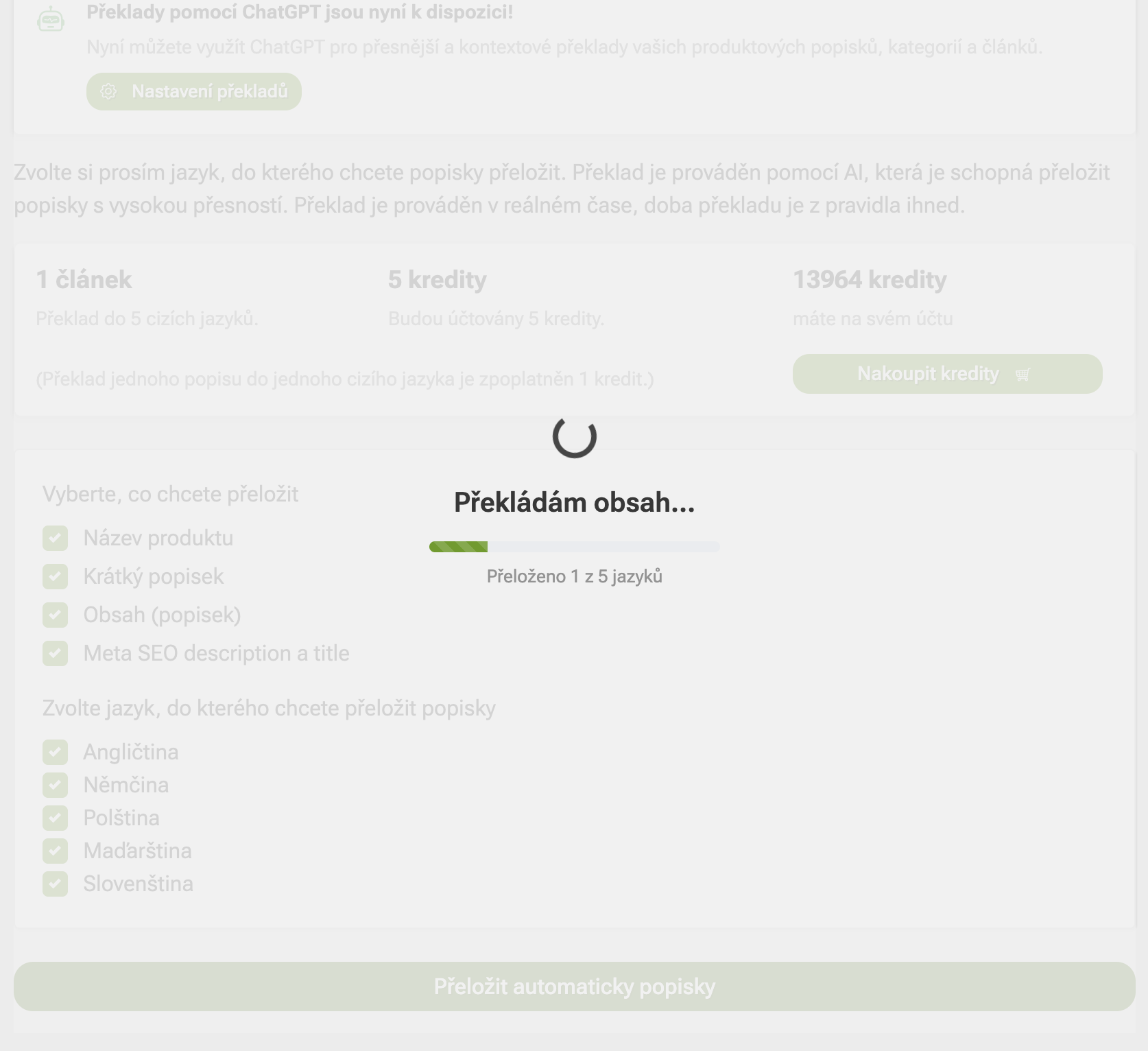
When you sell in other countries as well, translating descriptions used to mean waiting with an open window. Now it runs in the background and reports its progress - one language at a time, so you know where it currently is.

It will not get stuck on long descriptions either, and you can do something else in the meantime. Once it is finished, you have everything ready in all the languages you specified.
Zářijové novinky v Pobo: ikony na míru každému produktu a připojení AI agenta

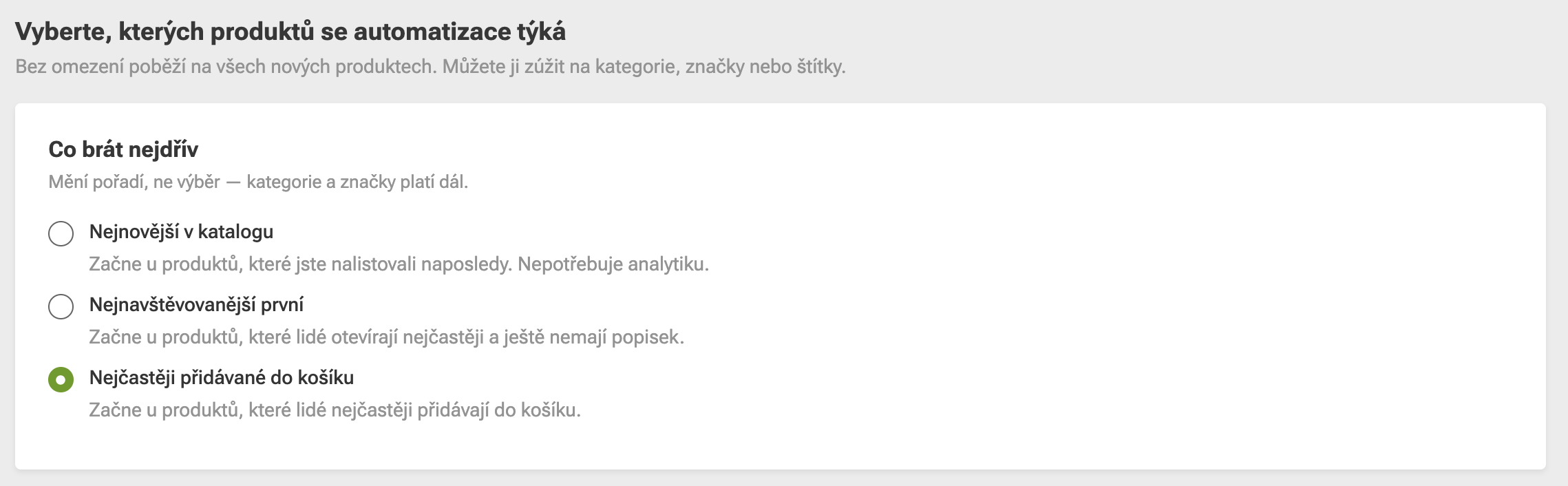
Automation starts with the products that matter most

Pobo can complete descriptions automatically overnight. Previously, it processed products in the order in which they appeared in the catalog, which is the most random choice possible. Now it starts with products that receive the most visitors and that customers add to their carts most often.

The difference is noticeable: content is first added to pages where the work will have an impact fastest, rather than to the thirtieth product alphabetically that no one looks at. You still decide which products are included in the automation - Pobo only changes their order.

See how you rank in AI answers

What ChatGPT says about you is not visible in standard analytics

Today, customers ask ChatGPT “which one should I buy…” and expect an immediate recommendation. Standard analytics will not tell you whether your online store appears in those answers at all.

That is why Pobo queries language models for you and shows you where you appear and where you do not. For every finding, you get a concrete step that can improve the situation - instead of speculation, you have a task that can be completed.

All the new features are already available in the administration. Not sure which one to turn on first? Write to our support team, and we will go through what will be most worthwhile for your online store.

Pobo

Thinking about Pobo? Let us show it to you.

Book a 30-minute call with Lenka. She will show you how Pobo works, what it is good for and how much writing it takes off your hands.

Book a call