June news in Pobo Page Builder

11.06.2026
« Back to articles

June News in Pobo Page Builder

In June, we added several new features to Pobo that will make it easier for you to create content, adjust the appearance of pages, and work with AI. Check out the features that have been added to the editor and what we are currently working on.

June news in Pobo Page Builder

Are You Creating Blog Posts? We Are Interested in Your Opinion.

We are preparing a new feature for you called AI Blog Content Generation and we would like to find out how you create posts today. We are interested in what takes the most time when creating a blog and how AI could realistically help you.

Filling out the short form takes approximately 3 to 5 minutes.

Fill Out the Form

1. AI Now Draws Information from Supplier Websites

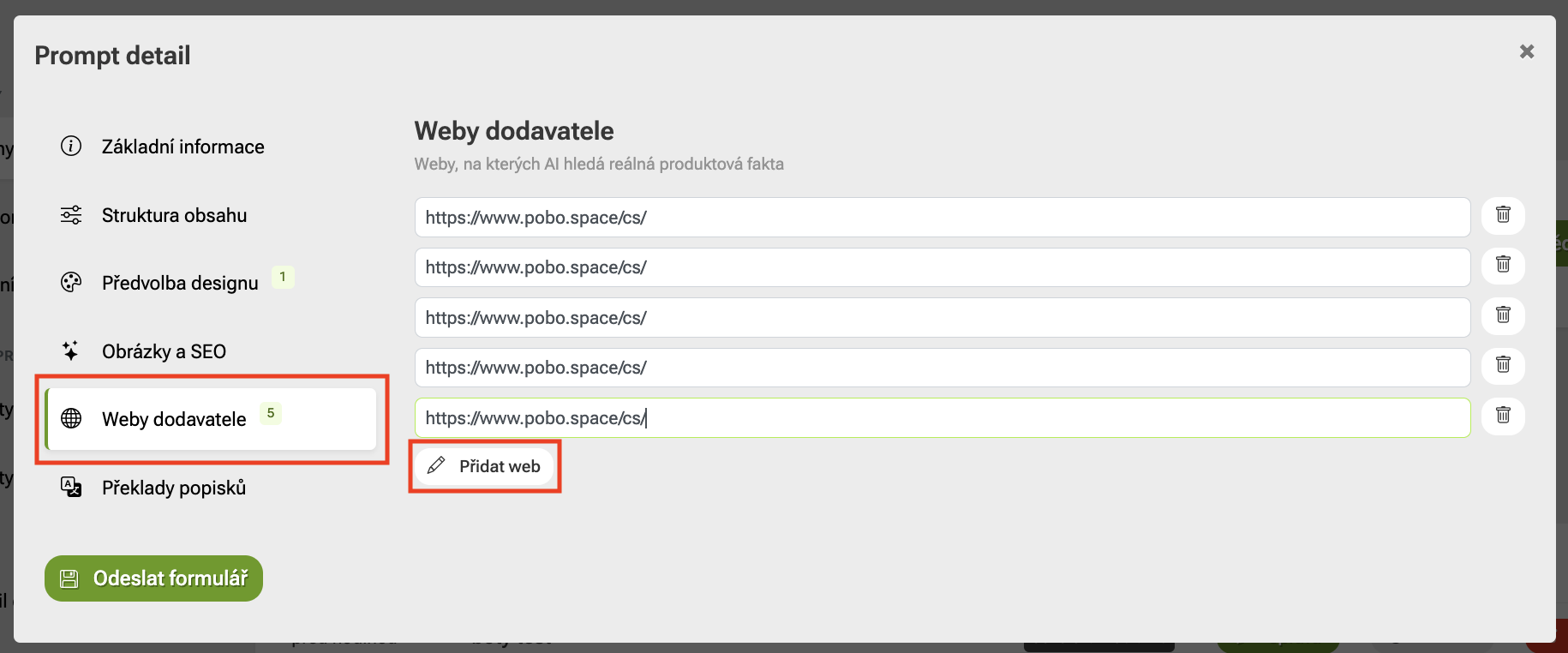
Users of the SAAS plan now have a Supplier Websites section available in the prompt settings of extended templates. Up to 20 website addresses can be added here, from which AI will draw information about a specific product when generating a product description.

Thus, AI can work with real data from the manufacturer or supplier websites and create more accurate and reliable descriptions.

June news in Pobo Page Builder

2. Uploading Your Own Widgets to the Editor

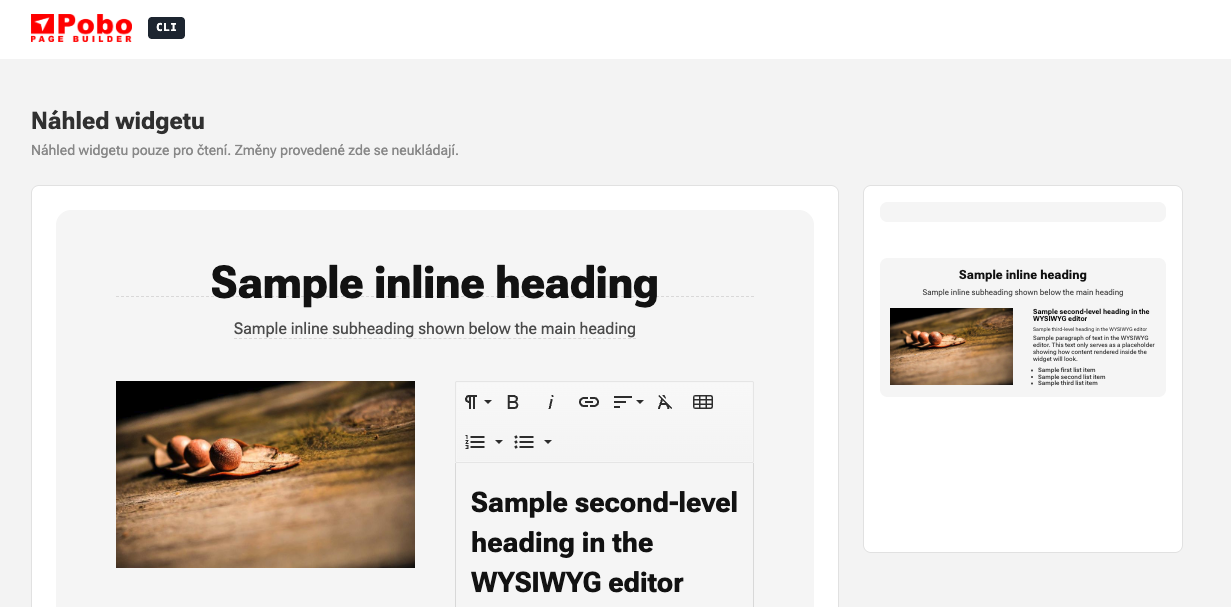
In the Pobo Page Builder, you can now upload your own HTML widgets usingCLI. Clients can then use them directly in the editor and easily modify them just like other content elements.

This feature is available for everyone. You can find the complete procedure for creating and managing widgets in the Pobo CLI documentation.
3. Custom Templates

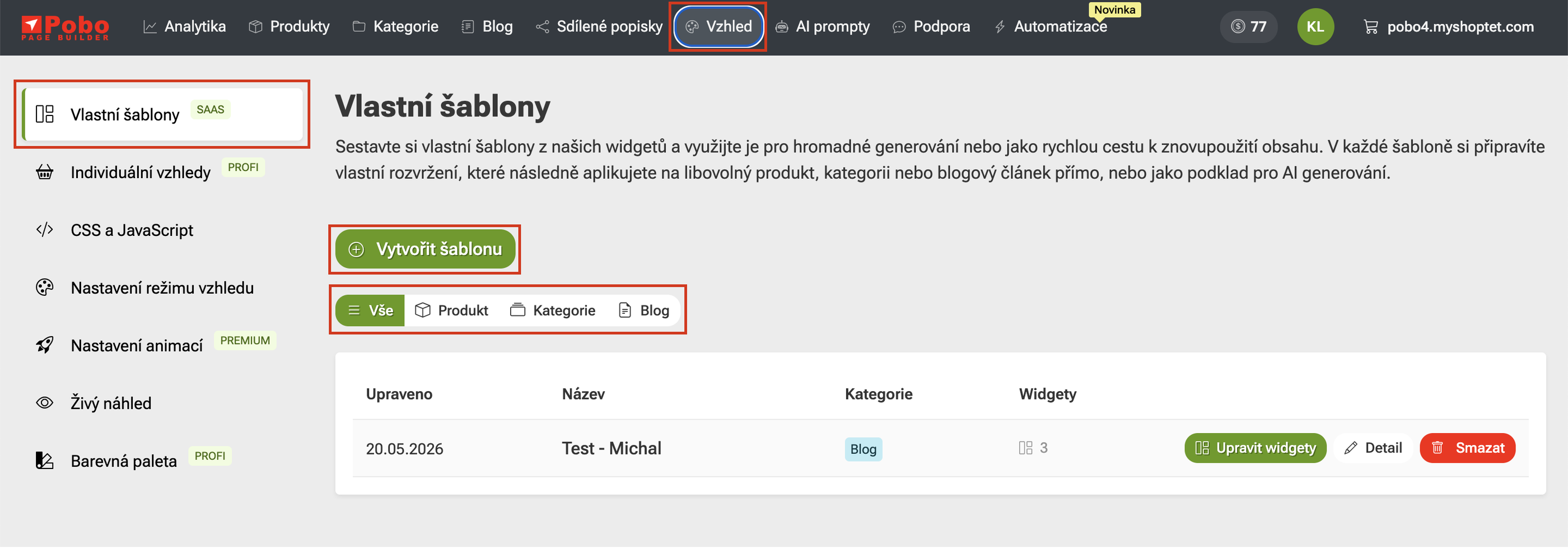
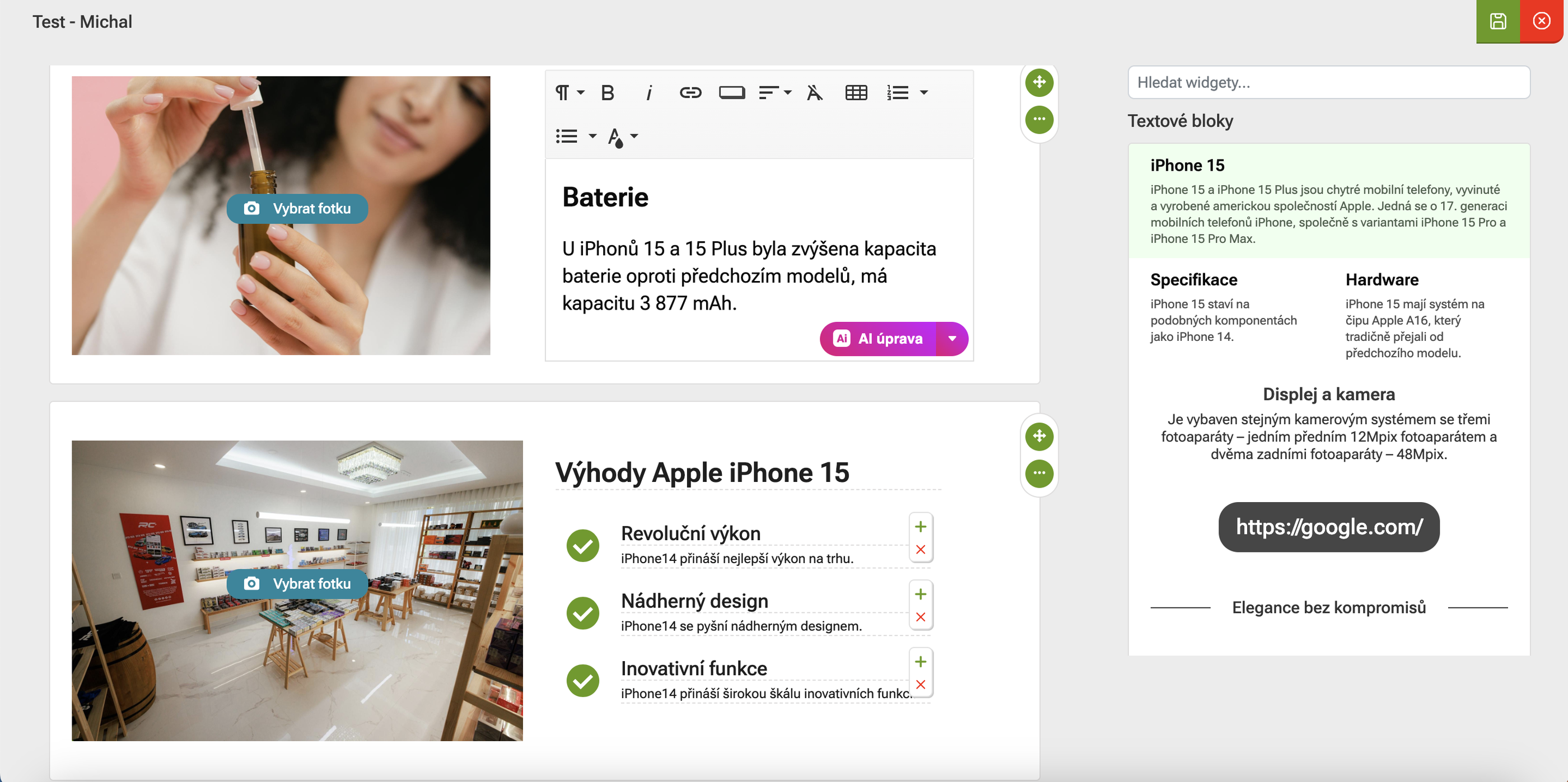
Clients with a SaaS plan can now create custom templates for generated content. They can set up the structure into which AI content should be inserted and how the resulting page should look.

A custom template can be prepared for a product, category, or blog post. This allows the generated content to better adapt to the e-shop style, client needs, and the specific type of page.

4. New Widget with Content Blocks

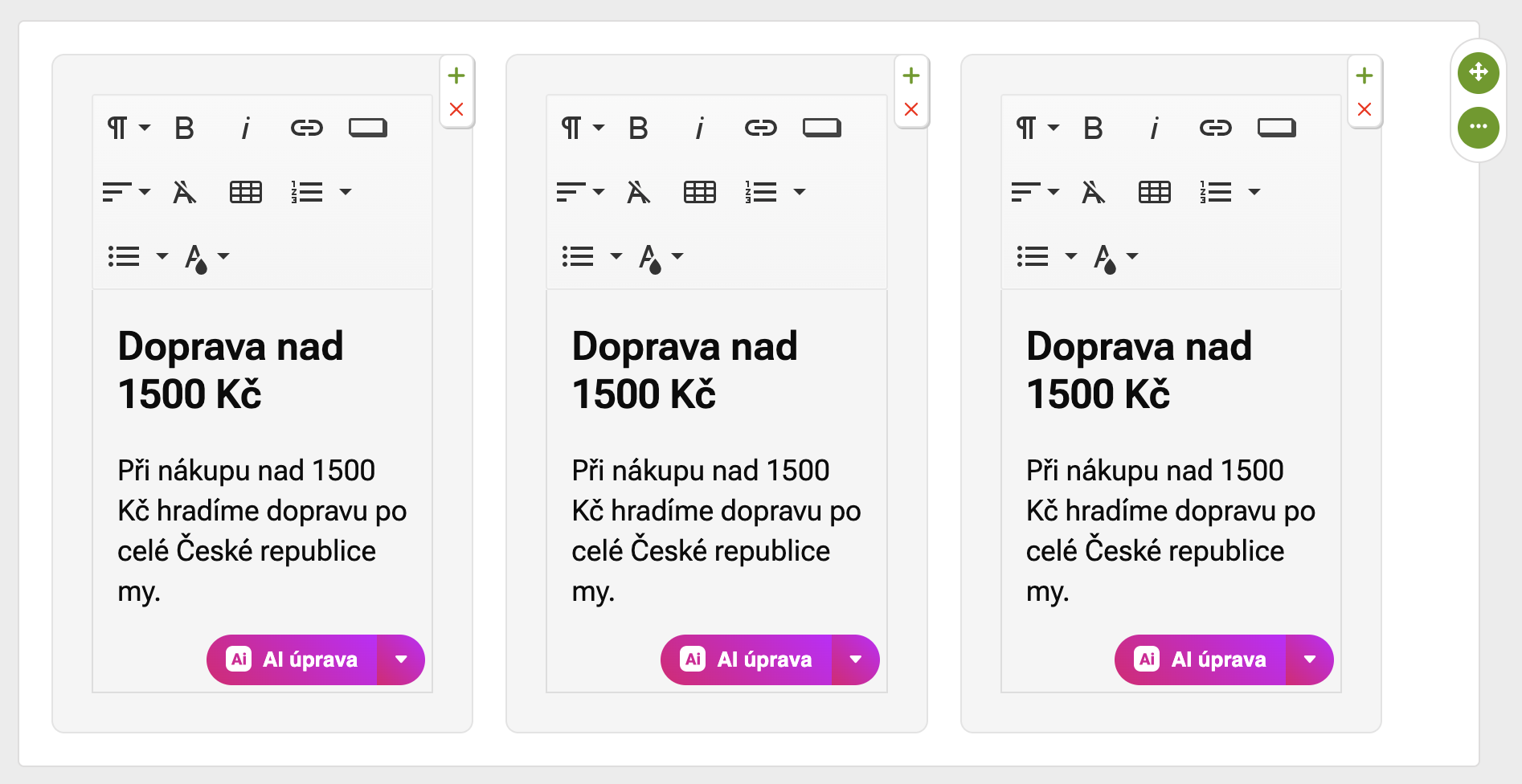
A widget with separate content blocks is now available in the editor. You can use it, for example, for purchase benefits, delivery, guarantees, or short informational messages.

Each block can be edited separately, adding your own headline, text, or other basic formatting. This allows you to create a clear section more quickly and without manually assembling individual elements.
June news in Pobo Page Builder

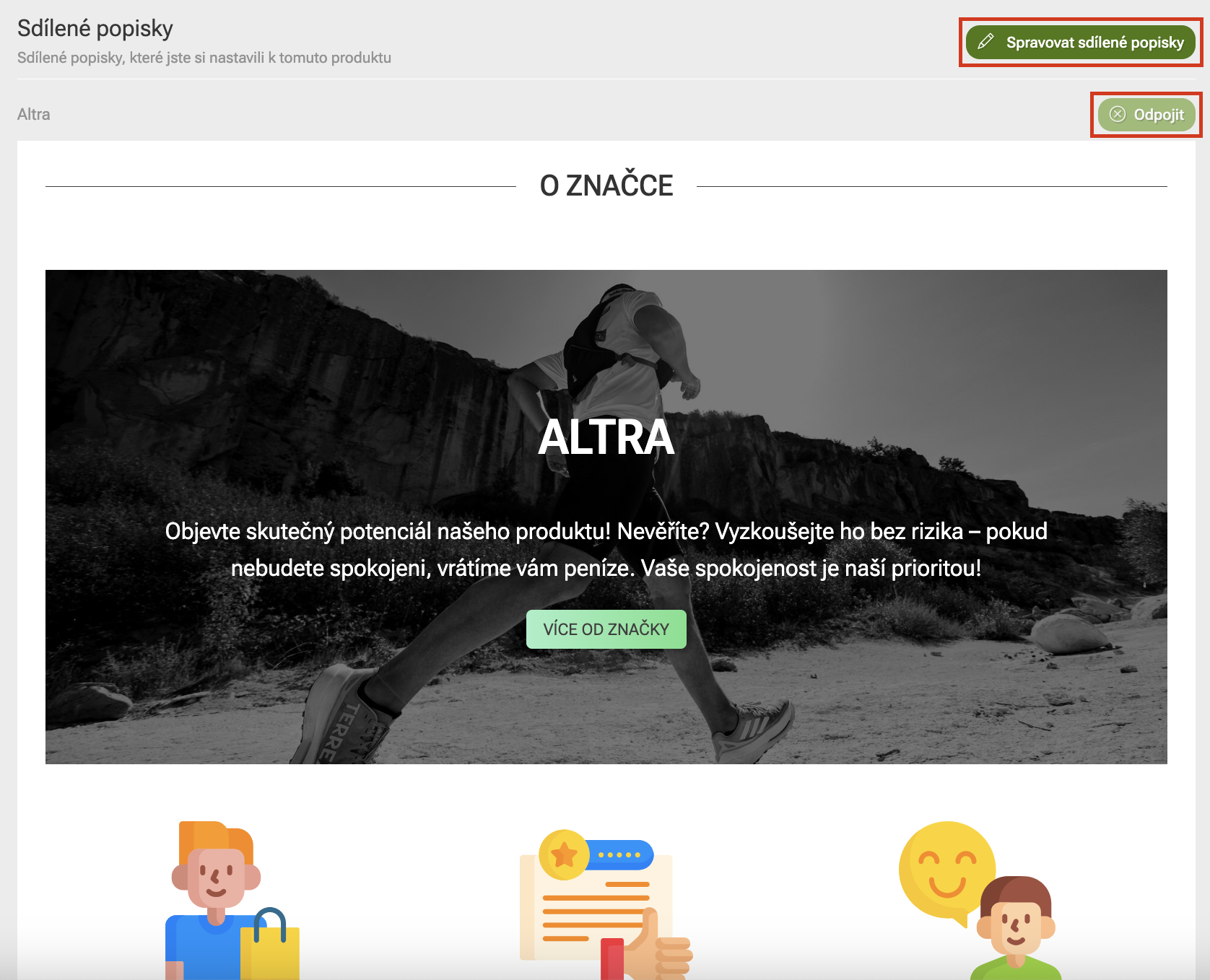
5. Shared Descriptions

Shared descriptions can now be added or removed directly in the edits of a specific page. You don't have to switch to a separate "Shared Descriptions" section every time.

With the "Manage Shared Descriptions" button, you can quickly set which shared descriptions should be attached to the page. If the description no longer needs to be connected, you can simply disconnect it.

6. Custom CSS and JavaScript Adjustments

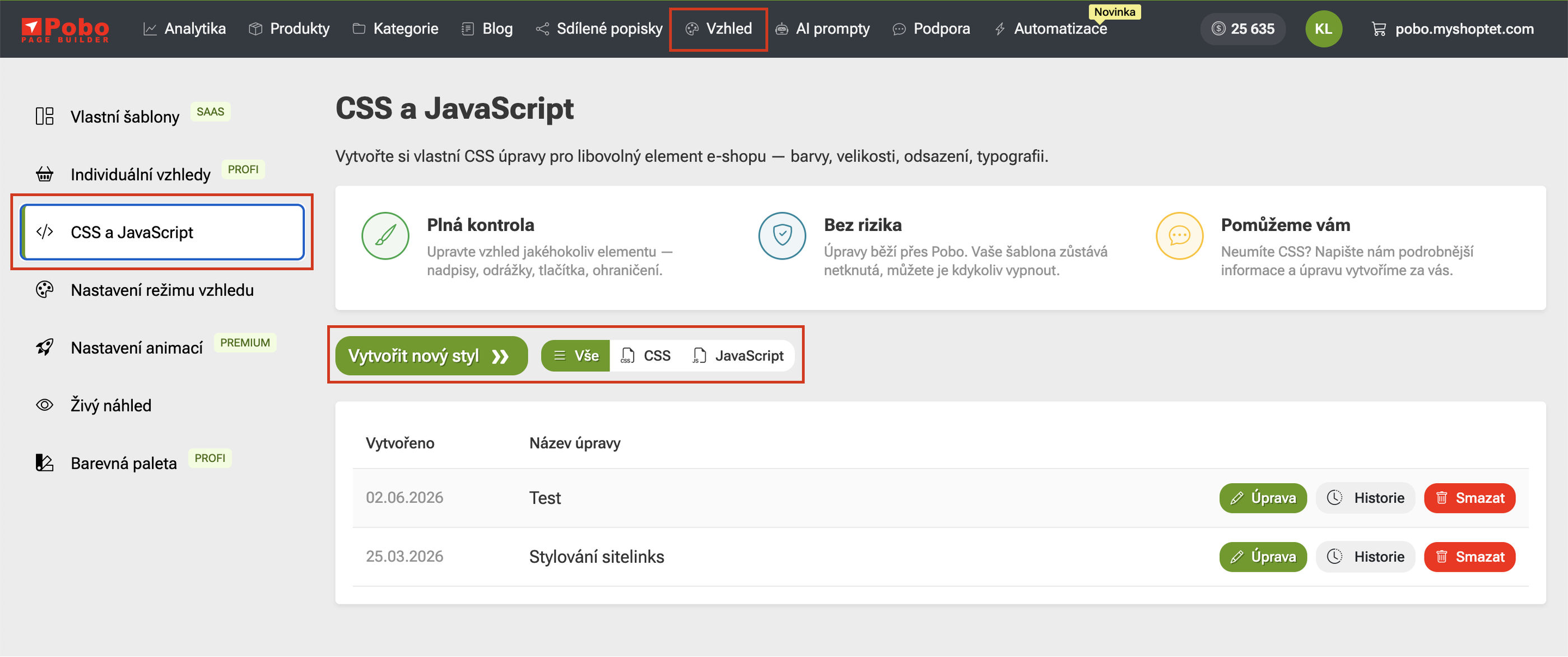
In the Pobo Page Builder, you can now work not only with custom CSS but also with JavaScript. This allows for more advanced page modifications, for example, changing the appearance of elements, the behavior of individual parts of a page, or a more complex content structure.

In the "Appearance" section, just go to the "CSS and JavaScript" part, where you can create a new style and choose whether it will be a CSS or JavaScript adjustment. You will find all created adjustments in one place and you can edit them at any time, check the history or delete them.

Planned Features

Article Generation with Claude AI and MCP

We are preparing a new feature for generating blog articles using Claude AI and MCP. The aim is to make creating longer content easier.

Editing Descriptions Using Claude AI

We are also working on a new feature that will allow editing descriptions using Claude AI. Clients will thus be able to more easily adapt the final content to their brand and the overall appearance of their website.

Converting Photos to Videos Using AI

We are also preparing a feature that will allow converting product photos into short videos using AI. This way, clients will be able to create more attractive content for their pages more easily.

Pobo

Thinking about Pobo? Let us show it to you.

Book a short 30-minute call where we'll show you how Pobo works, what it's good for, and how it can save you a lot of time and money.

Book a call