How to set up passkeys

Passkeys are used to log in to Pobo Page Builder more quickly and securely without entering a password. You log in similarly to your device, for example using your fingerprint, facial recognition, or a hardware key.

How to set up passkeys

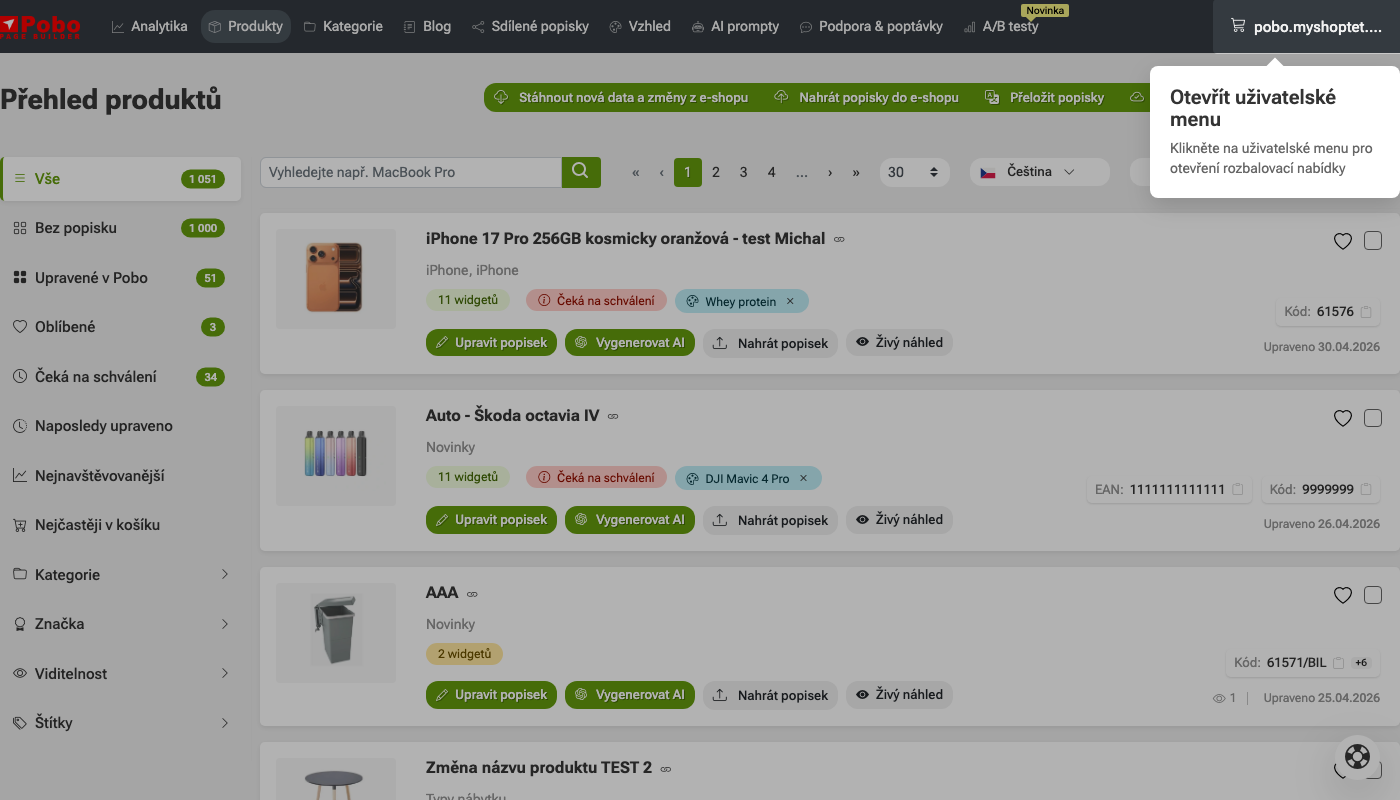
1. Open the user menu

In the top-right corner, click the user menu displaying your e-shop's name. After clicking it, a drop-down menu with account settings and other options will open.

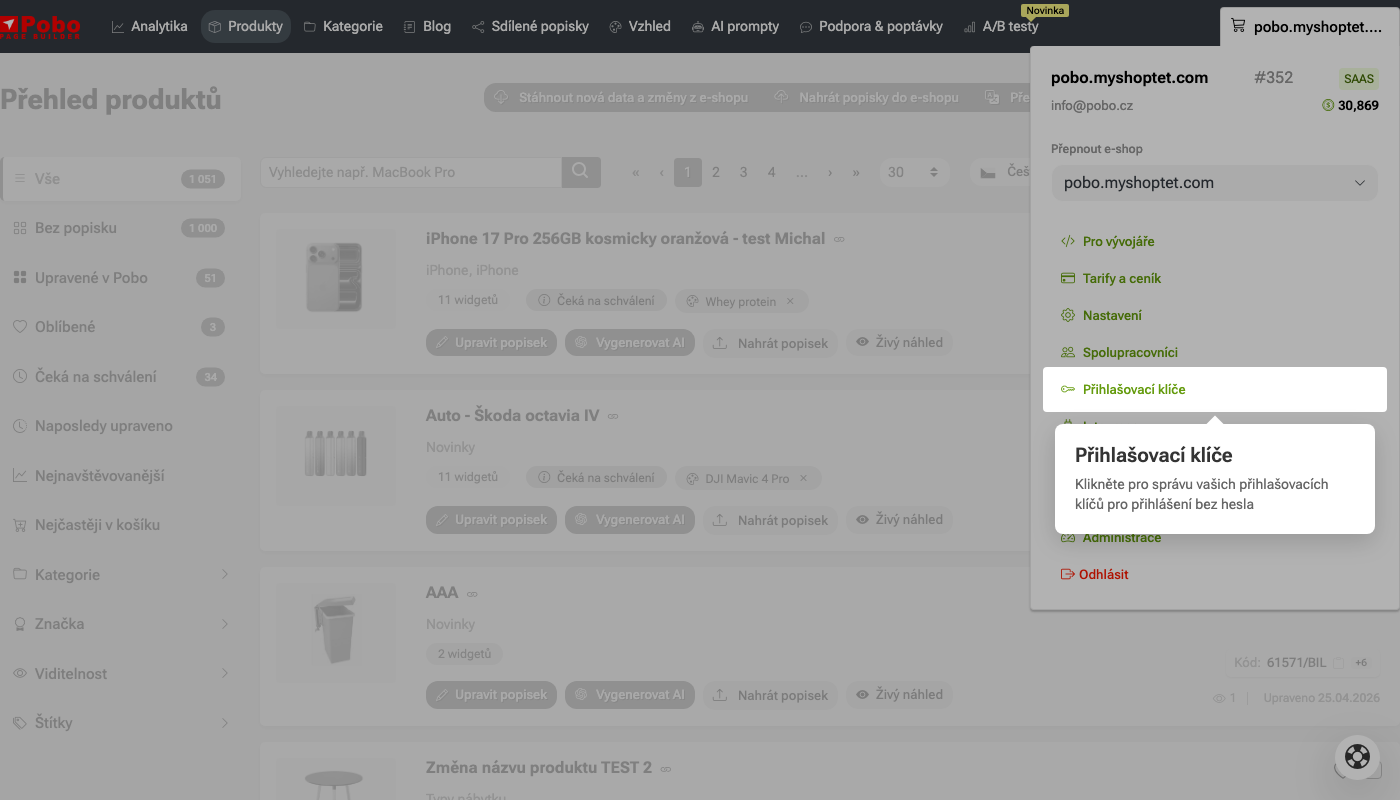
2. Select Passkeys

In the open user menu, click the Passkeys option. This will take you to the section where you can manage your passkeys for passwordless login.

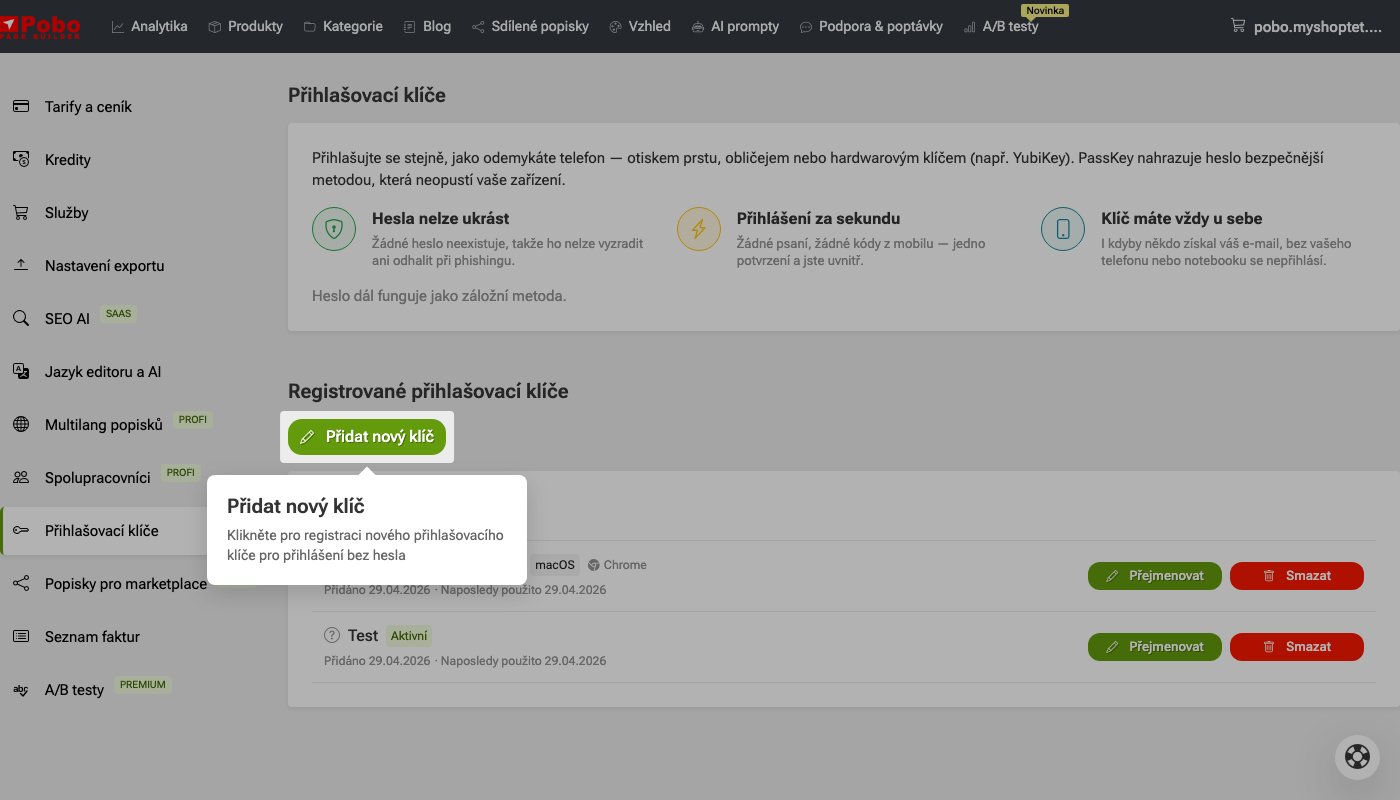
3. Add a new key

In the Registered passkeys section, click the Add a new key button. This will start the registration of a new passkey for passwordless login.

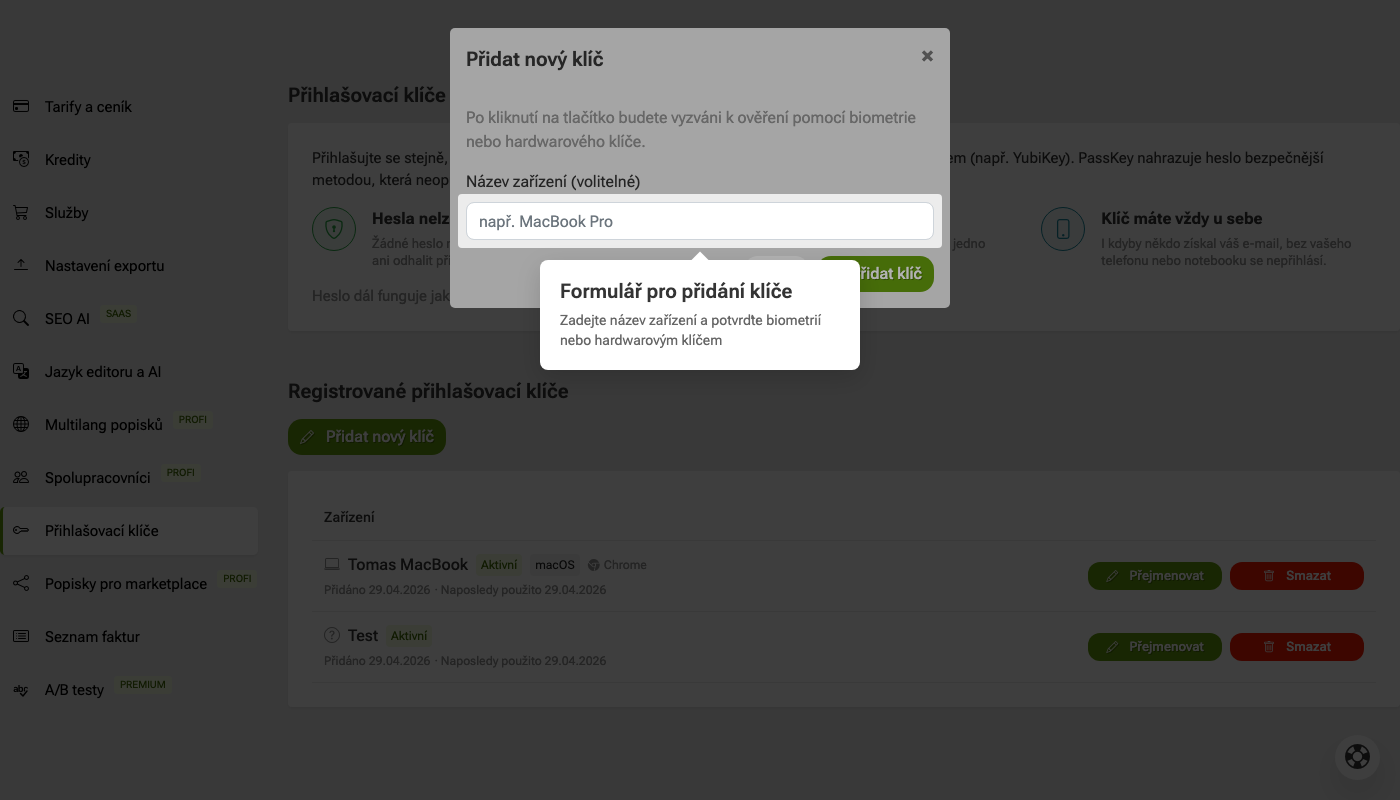
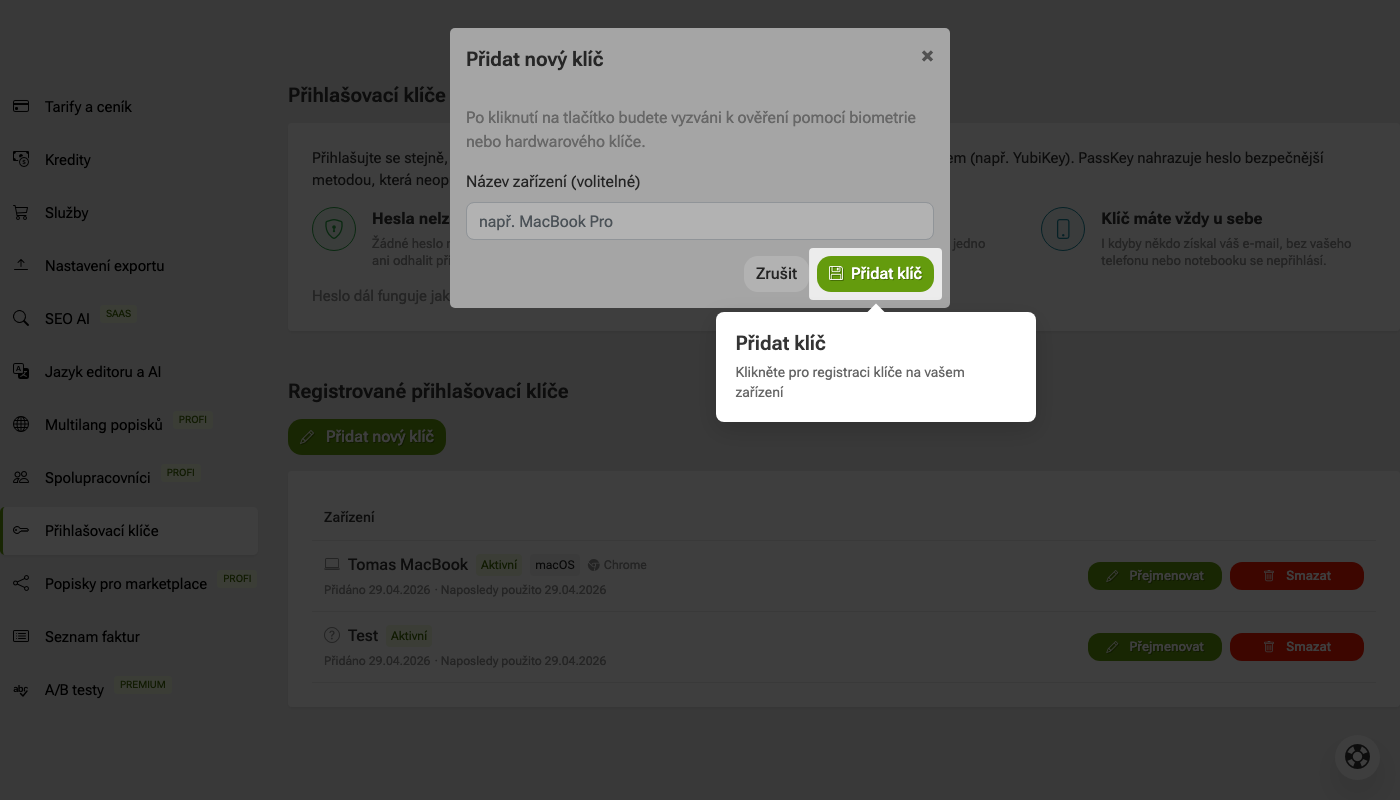
4. Enter the device name

In the Device name field, you can enter the name of the device on which you are setting up the passkey, for example MacBook Pro. The name is optional, but it will help you easily identify the key in the list later.

5. Add the key

Click the Add key button. You will then be asked to confirm using biometrics or a hardware key on your device.

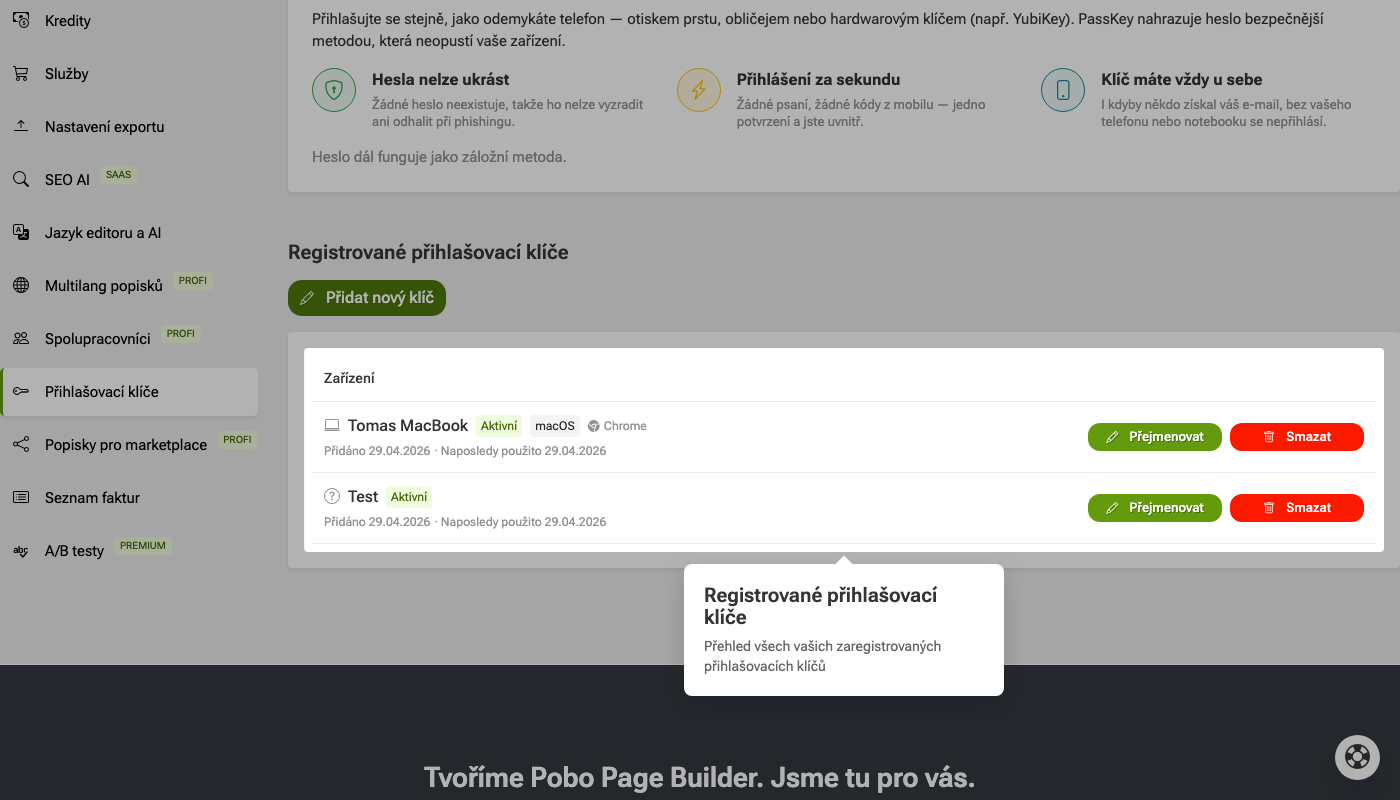
6. Check your registered passkeys

In the Registered passkeys section, you will see an overview of all the keys set up in your account. For each key, you can see the device name, status, system, browser, and information about when the key was added or last used.

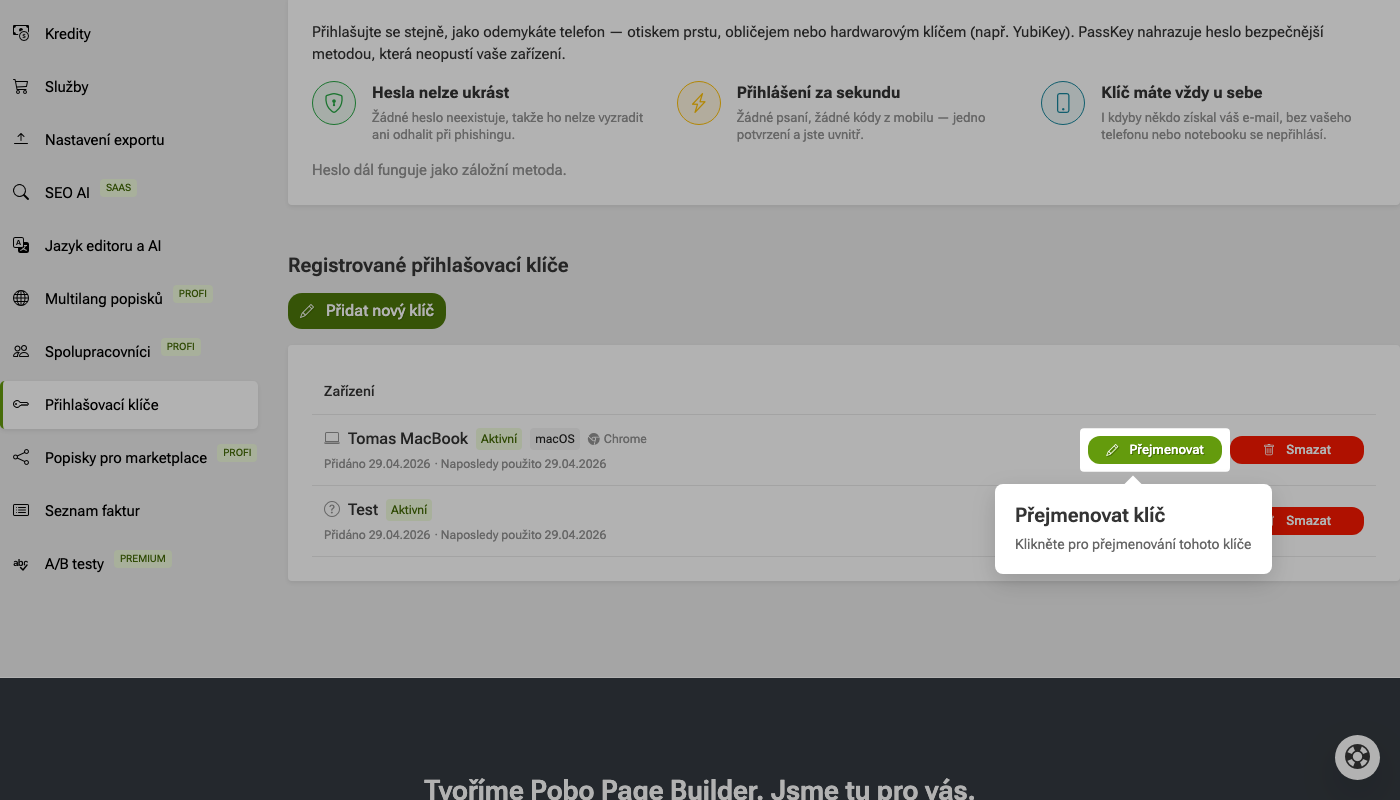
7. Rename the key

If you want to change the name of a passkey, click the Rename button next to the selected key. This allows you to give the key a name that will make it easy to identify later.

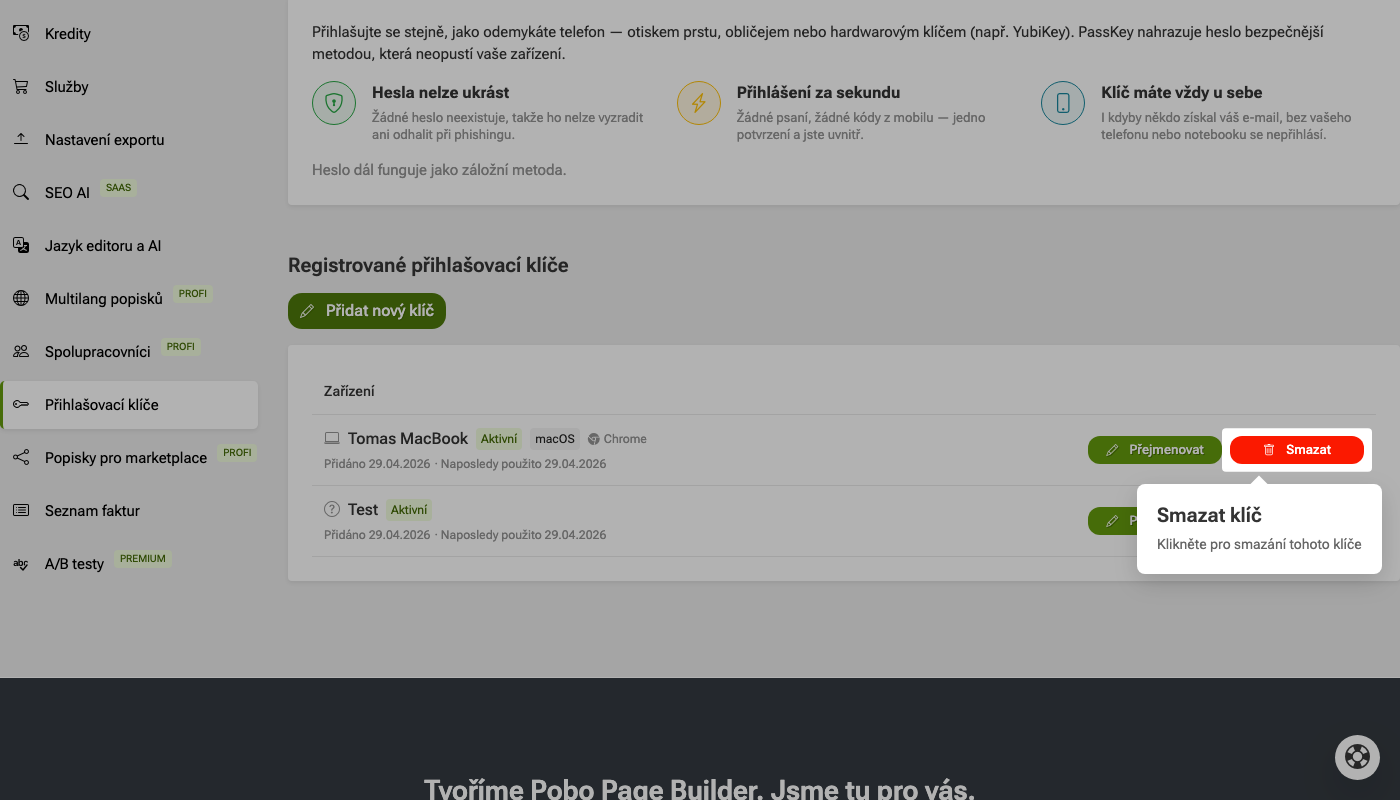
8. Delete the key

If you no longer use a passkey, click the Delete button next to it. This will remove the key from the list of registered passkeys.

How to set up passkeys

Need help?

My name is Petra, and I will be happy to help you with our add-on.

Feel free to write to me by e-mail: podpora@pobo.cz

Pobo

Thinking about Pobo? Let us show it to you.

Book a short 30-minute call where we'll show you how Pobo works, what it's good for, and how it can save you a lot of time and money.

Book a call