

How to download new labels from an e-shop to Pobo Page Builder
This function is used for updating data in the Pobo Page Builder. With it, you can download new products and changes that you have made directly in the e-shop to Pobo.

How to download new descriptions from the e-shop to Pobo Page Builder

1. Open the modal window

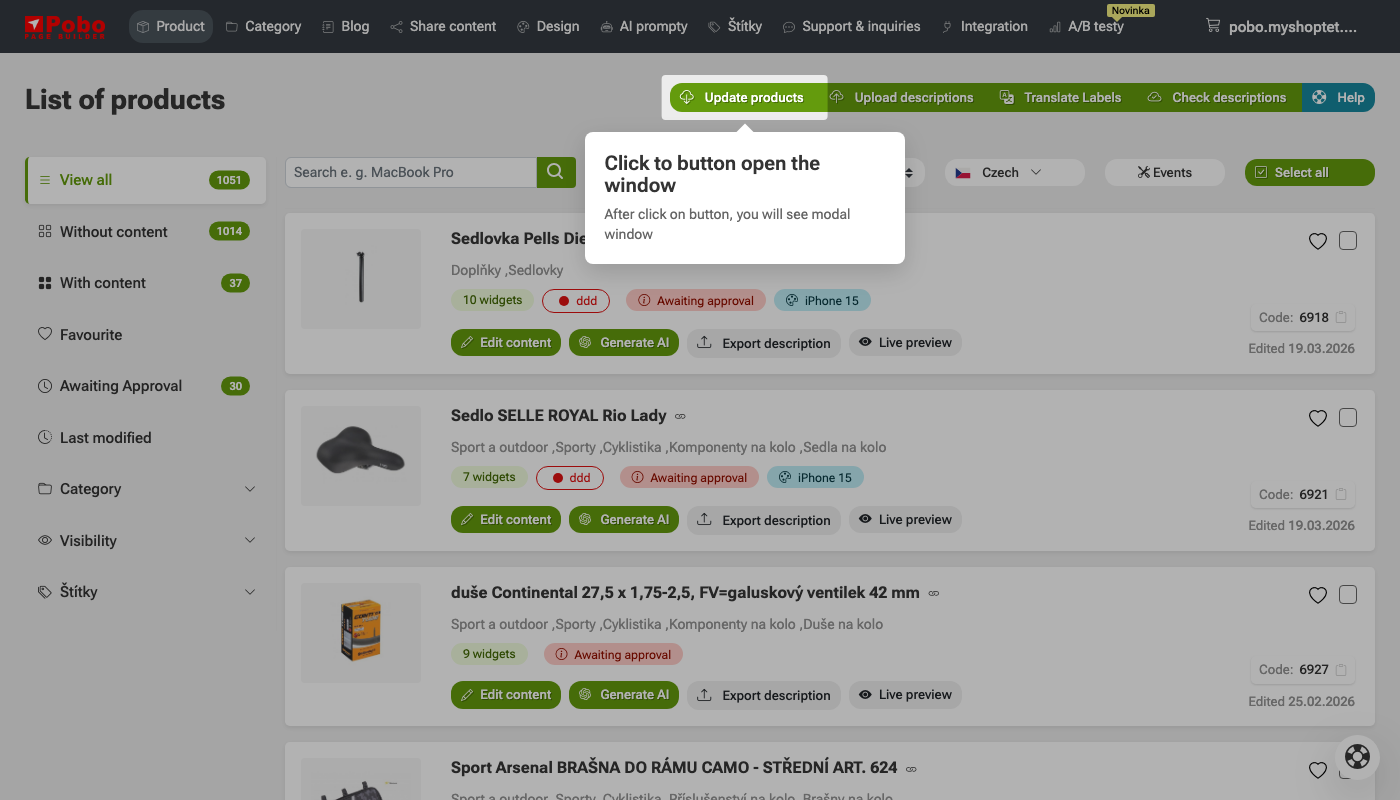
In the top green bar, click the button Download new data and changes from the e-shop. After clicking, a window will open in which you can start downloading current data from the e-shop.

2. Start data download

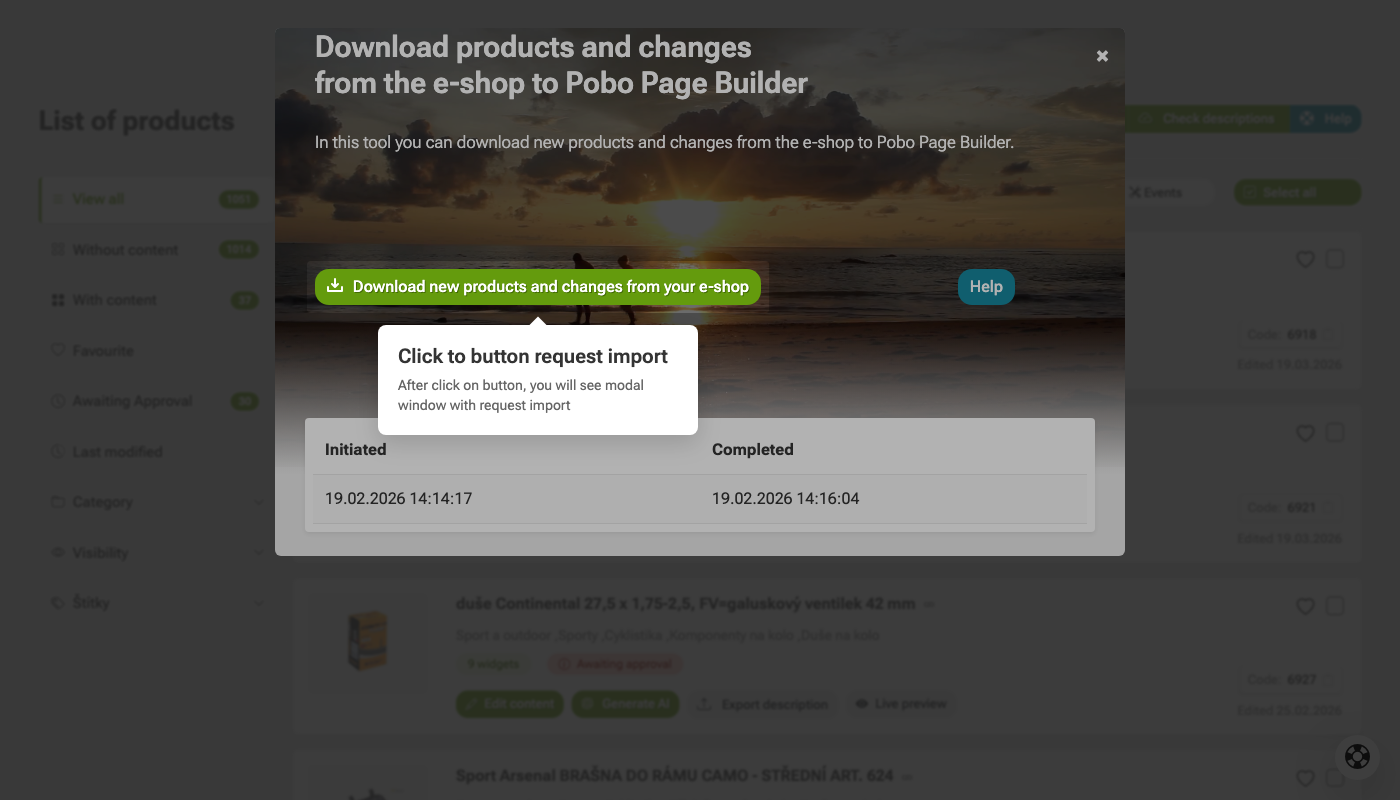
In the open window, click the button Download products and changes from the e-shop. This will start downloading current products and changes from the e-shop to Pobo Page Builder. The status of the last download can be found at the bottom of the window.

How to download new labels from an e-shop to Pobo Page Builder

I am very satisfied with Pobo Page Builder. We use it mainly for editing product pages and our blog.

Pobo

Thinking about Pobo? Let us show it to you.

Book a short 30-minute call where we'll show you how Pobo works, what it's good for, and how it can save you a lot of time and money.

Book a call