











 Book a call
Bug fixes in Pobo Page Builder and minor improvements
We've fixed a few minor bugs and added small improvements to Pobo Page Builder:
- Articles for the blog have the same template styles as the products.
- Uploaded images for products, blog and shared captions have a smaller size
- In Pobo Designer, you can now switch the panel to the right/left side of the screen

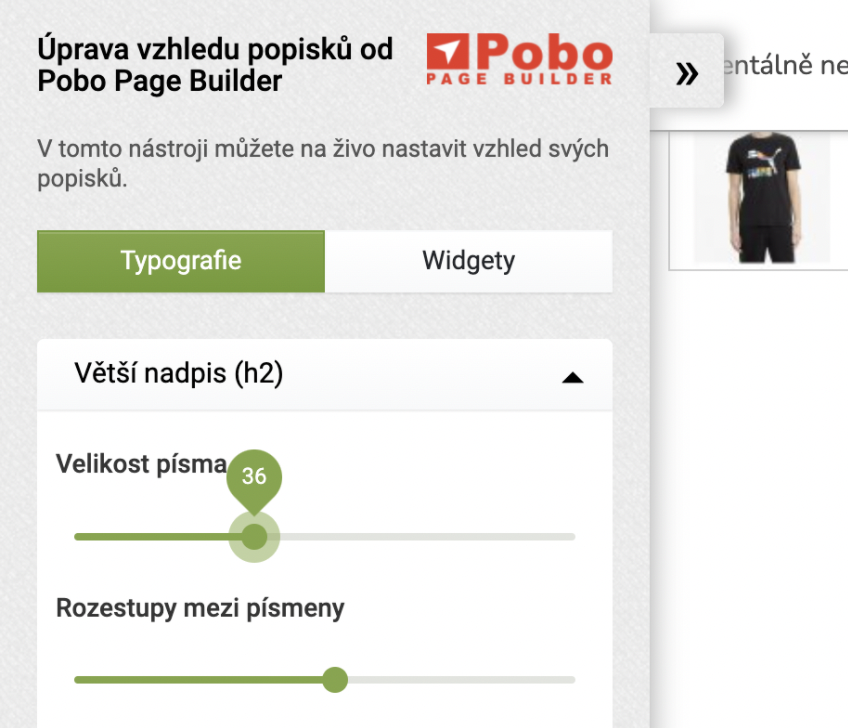
3. Panel switching in Pobo Designer
In Pobo Designer it is now possible to switch the panel to the right and left side of the monitor (see arrow on the left).
We added the toggle due to occasional overlapping chats, various icons, etc. that were overlapping the template save button.

Thinking about Pobo? Let us show it to you.
Book a short 30-minute call where we'll show you how Pobo works, what it's good for, and how it can save you a lot of time and money.
Book a call