



Thinking about Pobo? Let us show it to you.
Book a short 30-minute call where we'll show you how Pobo works, what it's good for, and how it can save you a lot of time and money.
Book a call
We believe that every e-shop deserves a premium look. Our AI will help you create it effortlessly.
Vojta Vaněk, AI engineer
Connect Pobo to your favorite e-shop platform and start creating right away.
Tomáš Smetka, Co-Founder
We don't just build a tool, we build relationships. Write to us and see for yourself.
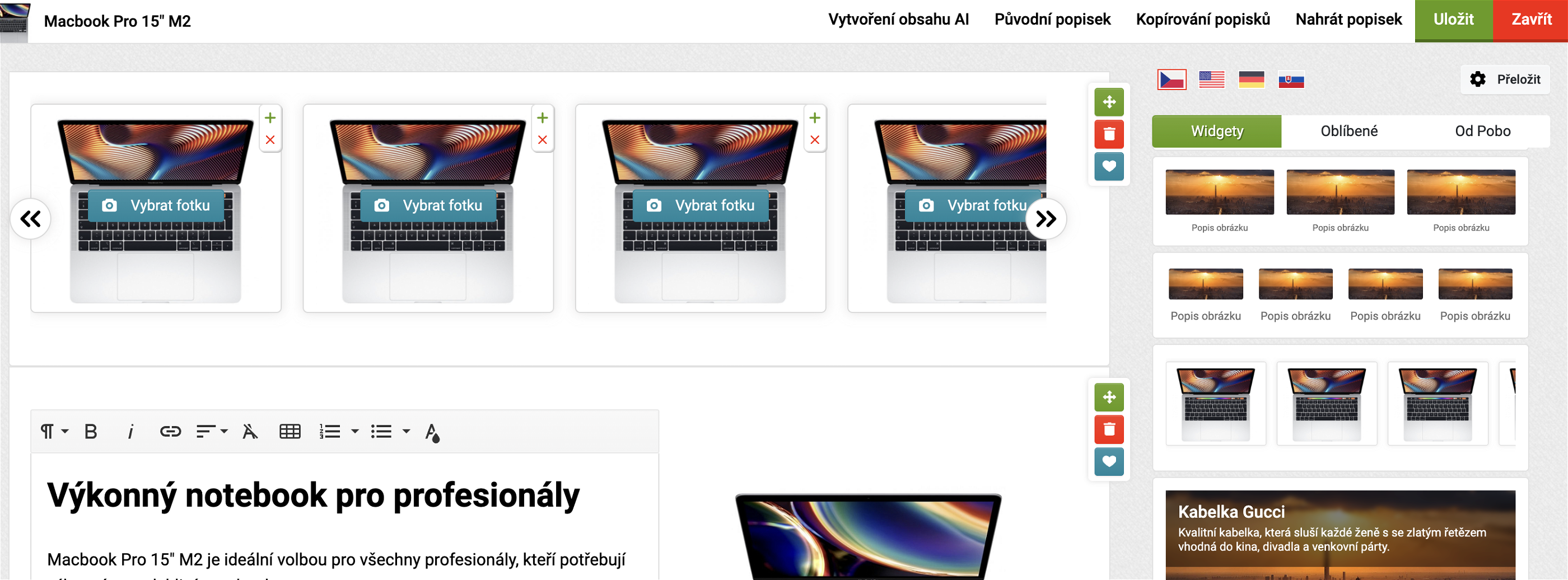
Michal Štikar, Co-FounderWe have added a new type of widget to the editor - carousel gallery with photos.
A carousel is a dynamic element that allows you to hide multiple pieces of content in an invisible area and display it by clicking on an arrow, button, etc. Most commonly, a carousel is used for photos, product cards, video clips, etc.
In Pobo Page Builder, we added carousel for the first time on the gallery where you can add more photos as you need.
You can find the widget in the photos tab, where it is shown with the content cut off. Just move this widget to the main content area and edit the photos as needed.
As such, we will gradually expand the carousel to other types (especially product cards, reviews, etc.).

Book a short 30-minute call where we'll show you how Pobo works, what it's good for, and how it can save you a lot of time and money.
Book a call